> ## Documentation Index
> Fetch the complete documentation index at: https://docs.time2.bike/llms.txt
> Use this file to discover all available pages before exploring further.
# Create an event
> Use the four-step wizard to spin up a new event.
From your dashboard click **Create event**. The wizard has four steps; you can navigate between them with **Back / Next** before publishing.
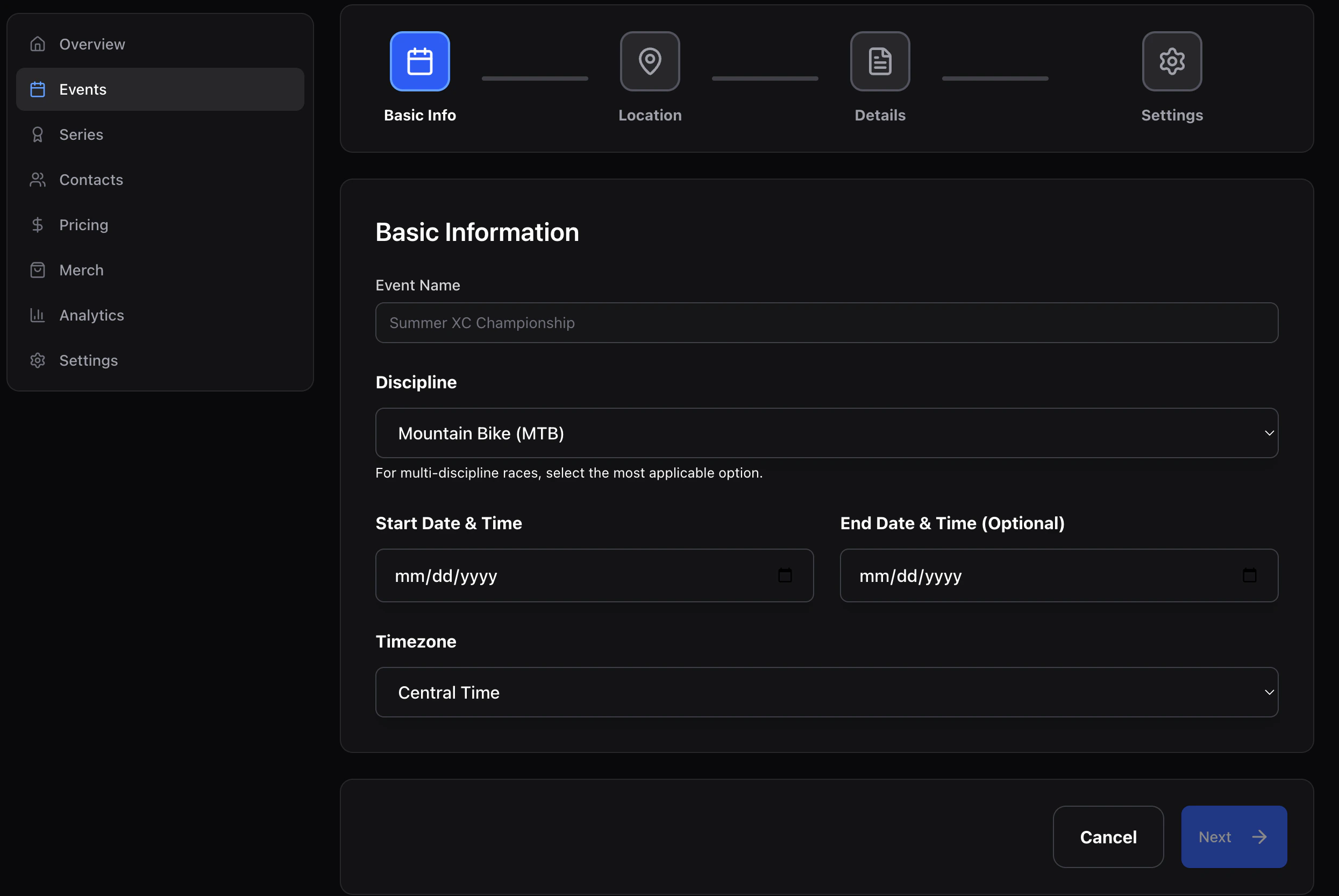 ## 1. Basic info
| Field | Notes |
| --------------- | ---------------------------------------------------------------------------------------------------------------------------------- |
| **Name** | Event title shown to riders. |
| **Discipline** | `mtb`, `road`, `cyclocross`, `gravel`, `bmx`, `track`, `enduro`, `dh`, `xc`, `other`. Drives default categories and the bike icon. |
| **Start / end** | Local dates and times. |
| **Timezone** | Used for all rider-facing times. Defaults to your last-used zone. |
## 2. Location
Venue name + street address (line 1/2, city, state, postal code, country). This powers the address line and map embed on the public page.
## 3. Details
* **Description** — short summary for the landing page hero.
* **Website** — optional outbound link.
* **Mobile number** — for race-day contact (not shown publicly unless you add it to the landing page).
* **Notes** — internal-only.
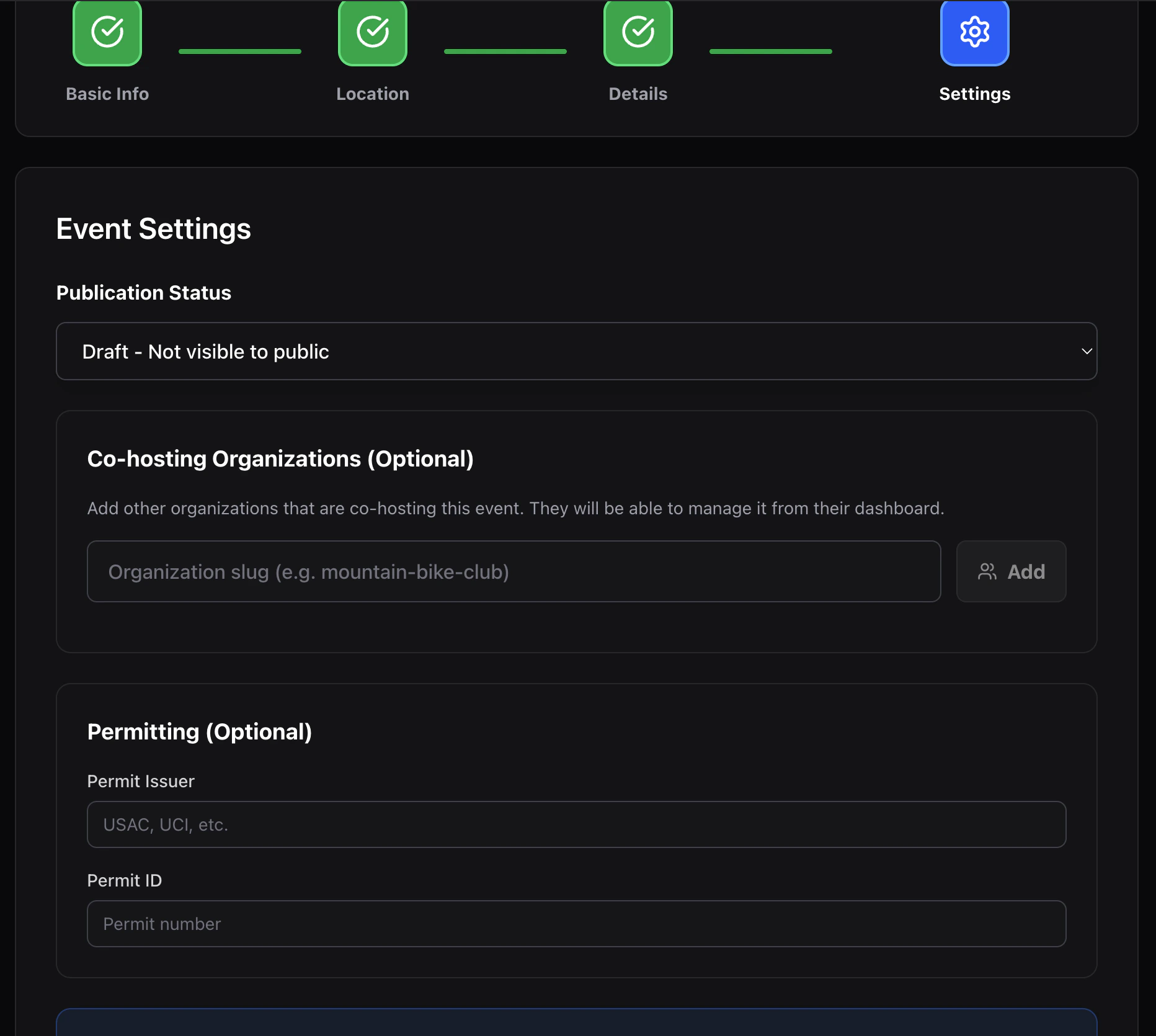
## 4. Settings
* **Status** — `draft` (only org members see it) or `published` (live).
* **Permit issuer / ID** — optional metadata for sanctioned races.
* **Collaborating organizations** — paste another org's slug to grant them editor access to this event. Useful for joint promotions and shared series.
## 1. Basic info
| Field | Notes |
| --------------- | ---------------------------------------------------------------------------------------------------------------------------------- |
| **Name** | Event title shown to riders. |
| **Discipline** | `mtb`, `road`, `cyclocross`, `gravel`, `bmx`, `track`, `enduro`, `dh`, `xc`, `other`. Drives default categories and the bike icon. |
| **Start / end** | Local dates and times. |
| **Timezone** | Used for all rider-facing times. Defaults to your last-used zone. |
## 2. Location
Venue name + street address (line 1/2, city, state, postal code, country). This powers the address line and map embed on the public page.
## 3. Details
* **Description** — short summary for the landing page hero.
* **Website** — optional outbound link.
* **Mobile number** — for race-day contact (not shown publicly unless you add it to the landing page).
* **Notes** — internal-only.
## 4. Settings
* **Status** — `draft` (only org members see it) or `published` (live).
* **Permit issuer / ID** — optional metadata for sanctioned races.
* **Collaborating organizations** — paste another org's slug to grant them editor access to this event. Useful for joint promotions and shared series.
 Click **Create event** on the final step. You land on the **Event overview**.
## What's created
Creating an event gives you an empty shell: no races, no questions, no waivers, no pricing. Add those from the Event nav.
Click **Create event** on the final step. You land on the **Event overview**.
## What's created
Creating an event gives you an empty shell: no races, no questions, no waivers, no pricing. Add those from the Event nav.