> ## Documentation Index
> Fetch the complete documentation index at: https://docs.time2.bike/llms.txt
> Use this file to discover all available pages before exploring further.
# Create an organization
> Spin up a new organization to host events.
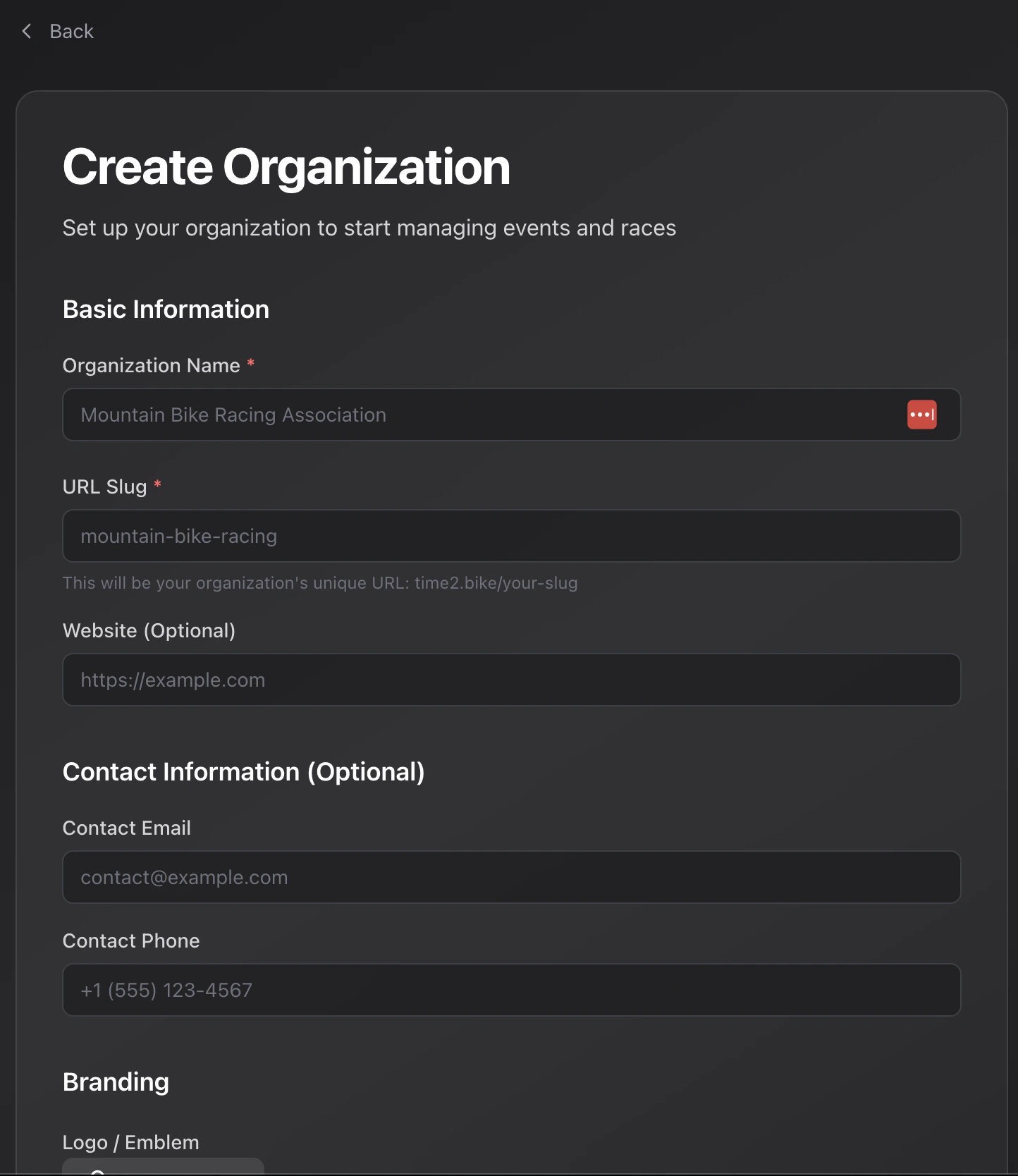
Anyone with a Time2Bike account can create an organization. From the top nav choose **Organizations → Create organization**, or visit [time2.bike/organizations/create](https://time2.bike/organizations/create).
 ## What you'll need
| Field | Notes |
| ------------------------- | --------------------------------------------------------------------------------------------------------------------- |
| **Name** | Display name shown to riders. |
| **Slug** | Lowercase, hyphens only. Becomes your public URL: `time2.bike/[slug]`. Auto-generated from the name; you can edit it. |
| **Website** | Optional. Linked from your public org page. |
| **Contact email & phone** | Surfaced to riders and on receipts. |
| **Brand color** | Hex value used as the accent on your public pages. |
| **Logo** | Square image, max 5 MB. |
Slugs must match `^[a-z0-9-]+$` and cannot start or end with a hyphen.
## After creation
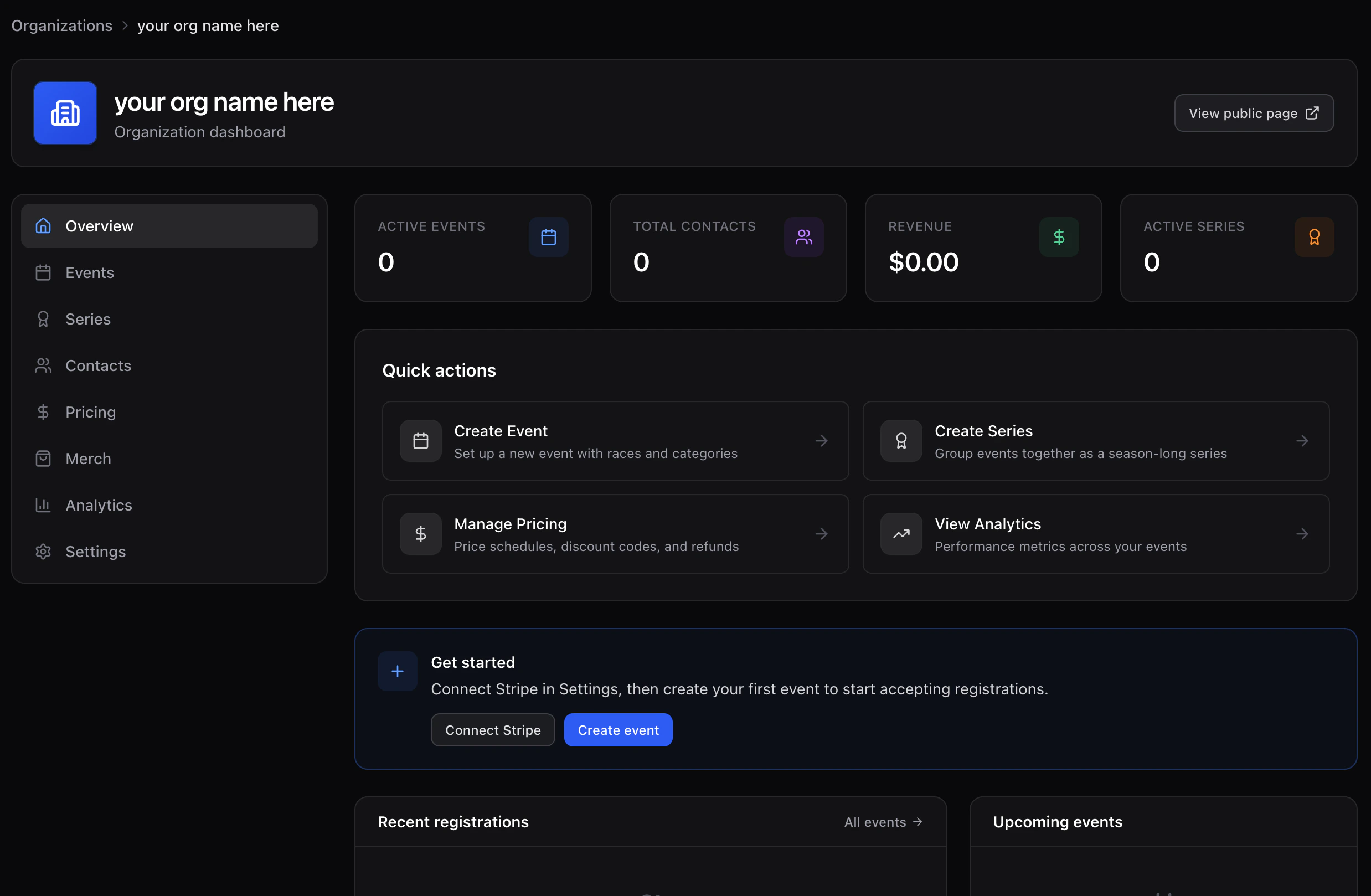
You land on the **organization dashboard**. From there:
1. Open **Settings → Billing** and connect Stripe — you cannot publish a paid event until this is done.
2. Open **Settings → Team** to invite collaborators.
3. Open **Settings → Waivers** to upload at least one waiver template.
## What you'll need
| Field | Notes |
| ------------------------- | --------------------------------------------------------------------------------------------------------------------- |
| **Name** | Display name shown to riders. |
| **Slug** | Lowercase, hyphens only. Becomes your public URL: `time2.bike/[slug]`. Auto-generated from the name; you can edit it. |
| **Website** | Optional. Linked from your public org page. |
| **Contact email & phone** | Surfaced to riders and on receipts. |
| **Brand color** | Hex value used as the accent on your public pages. |
| **Logo** | Square image, max 5 MB. |
Slugs must match `^[a-z0-9-]+$` and cannot start or end with a hyphen.
## After creation
You land on the **organization dashboard**. From there:
1. Open **Settings → Billing** and connect Stripe — you cannot publish a paid event until this is done.
2. Open **Settings → Team** to invite collaborators.
3. Open **Settings → Waivers** to upload at least one waiver template.