> ## Documentation Index
> Fetch the complete documentation index at: https://docs.time2.bike/llms.txt
> Use this file to discover all available pages before exploring further.
# Create your account
> Sign up for Time2Bike to register for events, sign waivers, and follow live results.
You need a Time2Bike account to register for any event on the platform.
Accounts are free, and a single account lets you register yourself, family
members, and teammates from one place.
## Sign up
Visit [time2.bike/auth/register](https://time2.bike/auth/register), or
click **Sign up** on any event page when prompted to register.
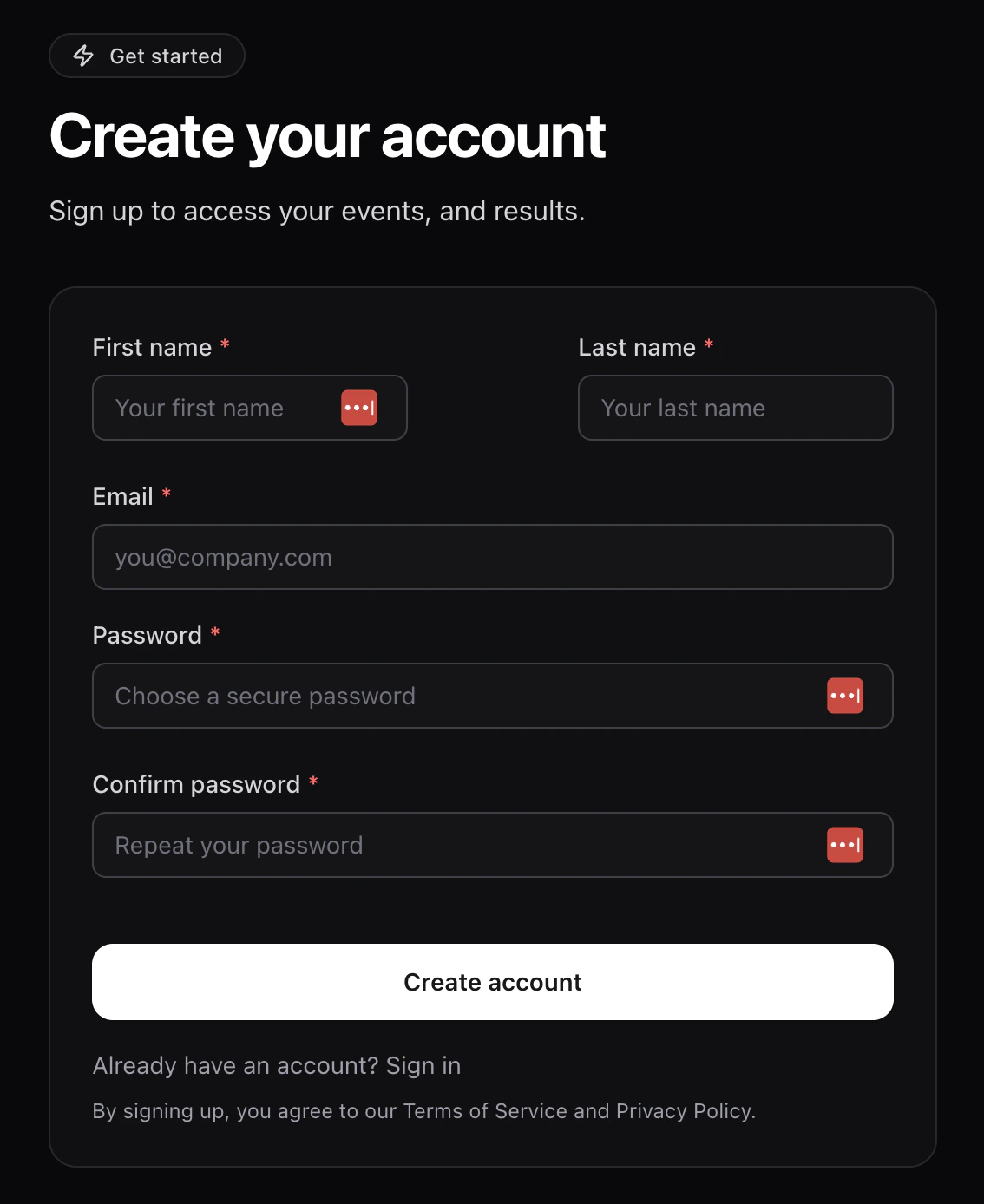
Enter:
* **First name** and **Last name** — use your legal name; it's used on
start lists and results.
* **Email** — where waivers, receipts, and event updates are sent.
* **Password** and **Confirm password** — pick something you'll
remember; you'll use it every time you sign in.
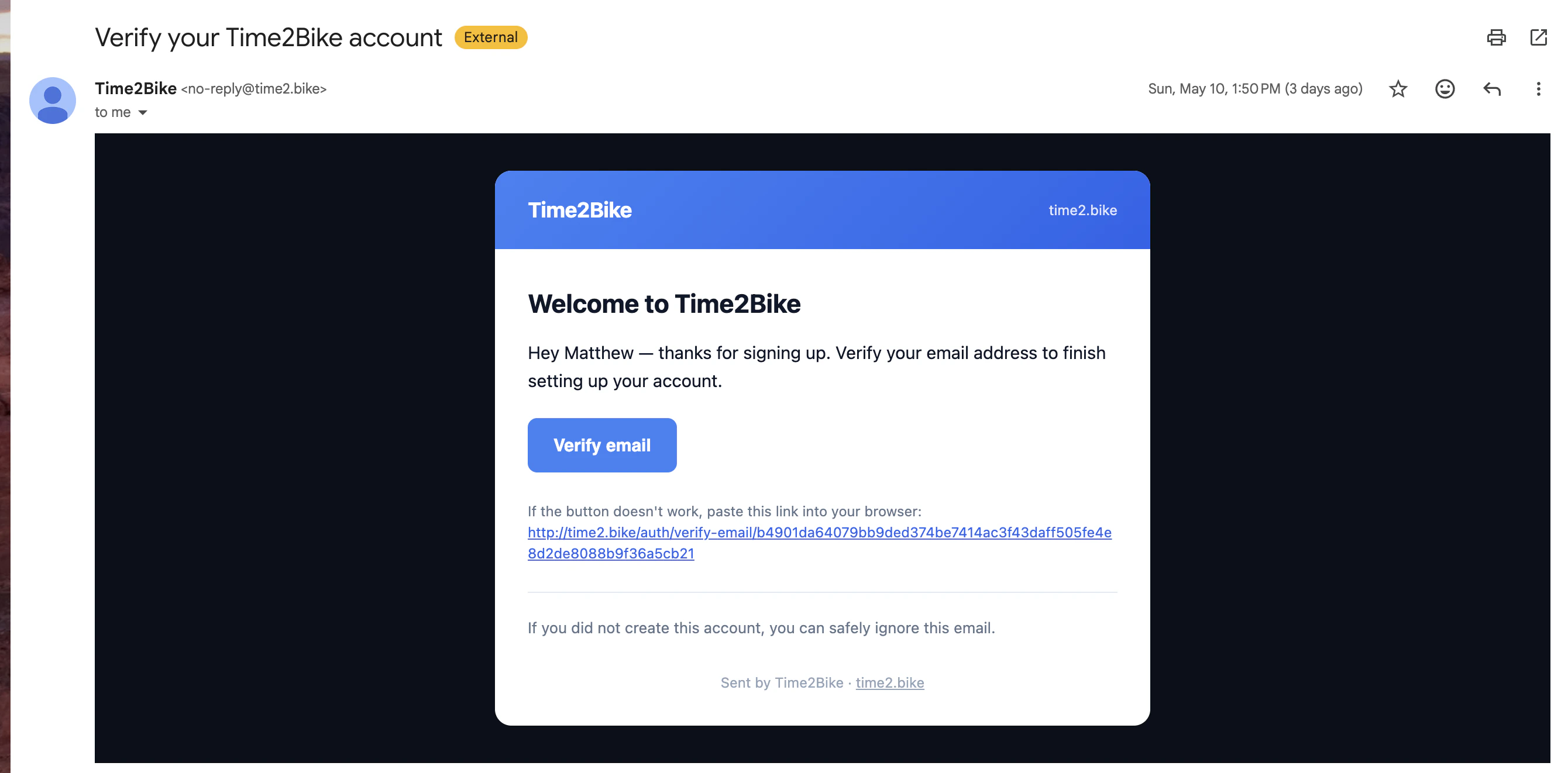
 Time2Bike emails you a confirmation link.
Open the email from Time2Bike and click the verification link. Your
account isn't active until you do this — you can't register for an
event with an unconfirmed email.
Time2Bike emails you a confirmation link.
Open the email from Time2Bike and click the verification link. Your
account isn't active until you do this — you can't register for an
event with an unconfirmed email.
 After confirming, click **Login** and [sign in](/riders/account/sign-in).
## Signing up from an invite
If an organization invited you (for example, a team owner adding you to a
team), the sign-up link includes the invite. After you confirm your email,
the page shows an **Accept Invitation** button that takes you straight into
the org or team.
See [Accepting an invite](/riders/invites/accept-invite) for details.
## Didn't get the confirmation email?
* Check spam / promotions.
* Make sure you typed your email correctly. If not, sign up again with the
right address.
* Still nothing after a few minutes? Try [Forgot password](https://time2.bike/auth/forgot-password)
with the email you used — that re-sends a verification flow.
## Next
Already have an account? Sign in to start registering for events.
After confirming, click **Login** and [sign in](/riders/account/sign-in).
## Signing up from an invite
If an organization invited you (for example, a team owner adding you to a
team), the sign-up link includes the invite. After you confirm your email,
the page shows an **Accept Invitation** button that takes you straight into
the org or team.
See [Accepting an invite](/riders/invites/accept-invite) for details.
## Didn't get the confirmation email?
* Check spam / promotions.
* Make sure you typed your email correctly. If not, sign up again with the
right address.
* Still nothing after a few minutes? Try [Forgot password](https://time2.bike/auth/forgot-password)
with the email you used — that re-sends a verification flow.
## Next
Already have an account? Sign in to start registering for events.