> ## Documentation Index
> Fetch the complete documentation index at: https://docs.time2.bike/llms.txt
> Use this file to discover all available pages before exploring further.
# Sign in
> Sign in to Time2Bike, including multi-factor authentication and password recovery.
Sign in to access your registrations, sign waivers, view results, and manage
your profile.
## Sign in with email and password
Go to [time2.bike/auth/login](https://time2.bike/auth/login), or click
**Sign in** from the top navigation.
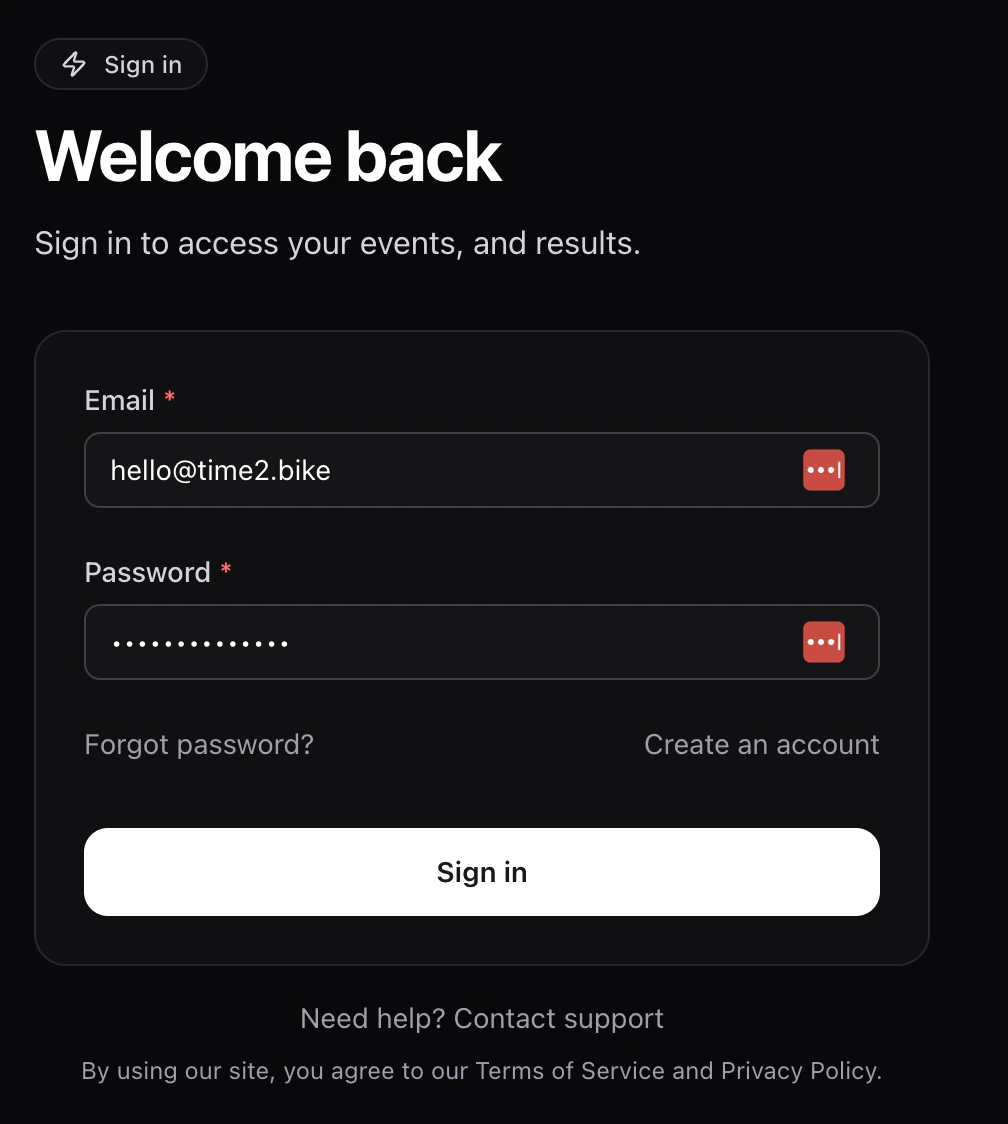 Type your **Email** and **Password**, then click **Sign in**.
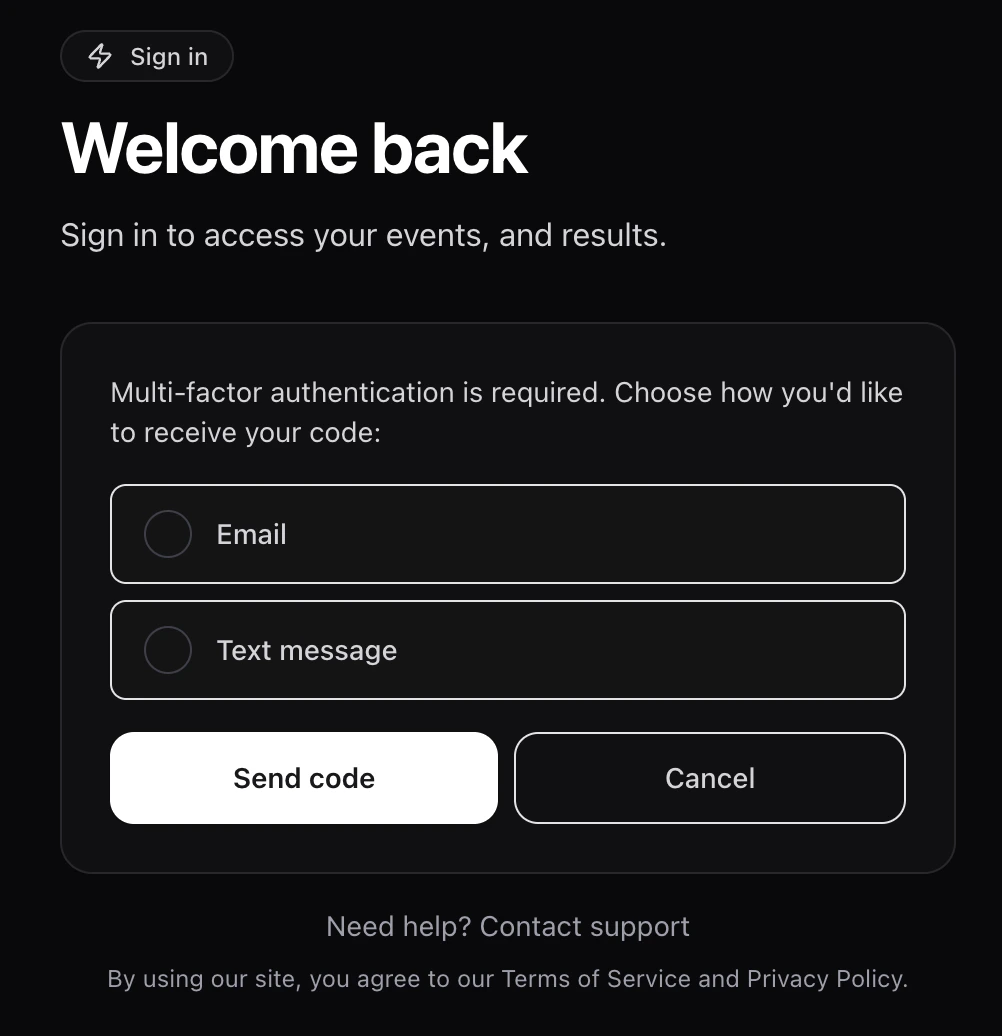
If you've turned on multi-factor authentication, Time2Bike asks how you
want to receive your one-time code:
* **Text message** — sent to the phone number on your account.
* **Email** — sent to your account email.
Pick a method, click **Send code**, then enter the 6-digit code and
click **Verify code**. Click **Resend** if it doesn't arrive.
Type your **Email** and **Password**, then click **Sign in**.
If you've turned on multi-factor authentication, Time2Bike asks how you
want to receive your one-time code:
* **Text message** — sent to the phone number on your account.
* **Email** — sent to your account email.
Pick a method, click **Send code**, then enter the 6-digit code and
click **Verify code**. Click **Resend** if it doesn't arrive.
 After a successful sign-in you land on your dashboard, unless you were
mid-registration — in which case Time2Bike sends you back to where you
left off.
## Forgot your password?
On the sign-in page, click **Forgot password?**.
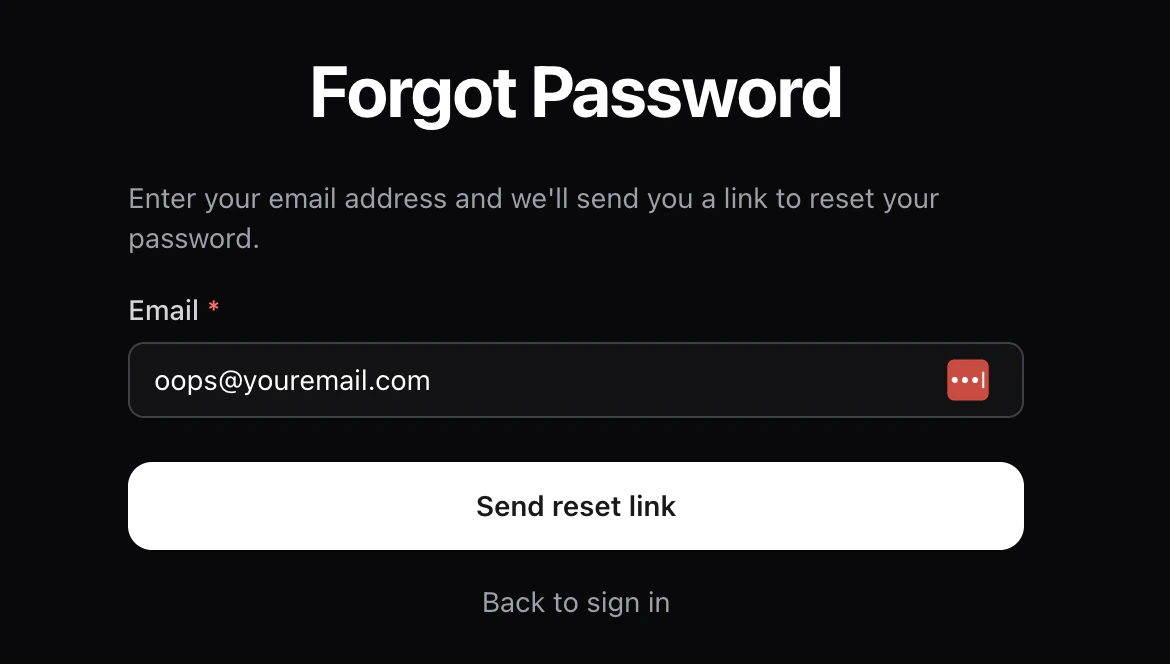
Submit the email on your account. Time2Bike sends a password-reset link
if the address is registered.
After a successful sign-in you land on your dashboard, unless you were
mid-registration — in which case Time2Bike sends you back to where you
left off.
## Forgot your password?
On the sign-in page, click **Forgot password?**.
Submit the email on your account. Time2Bike sends a password-reset link
if the address is registered.
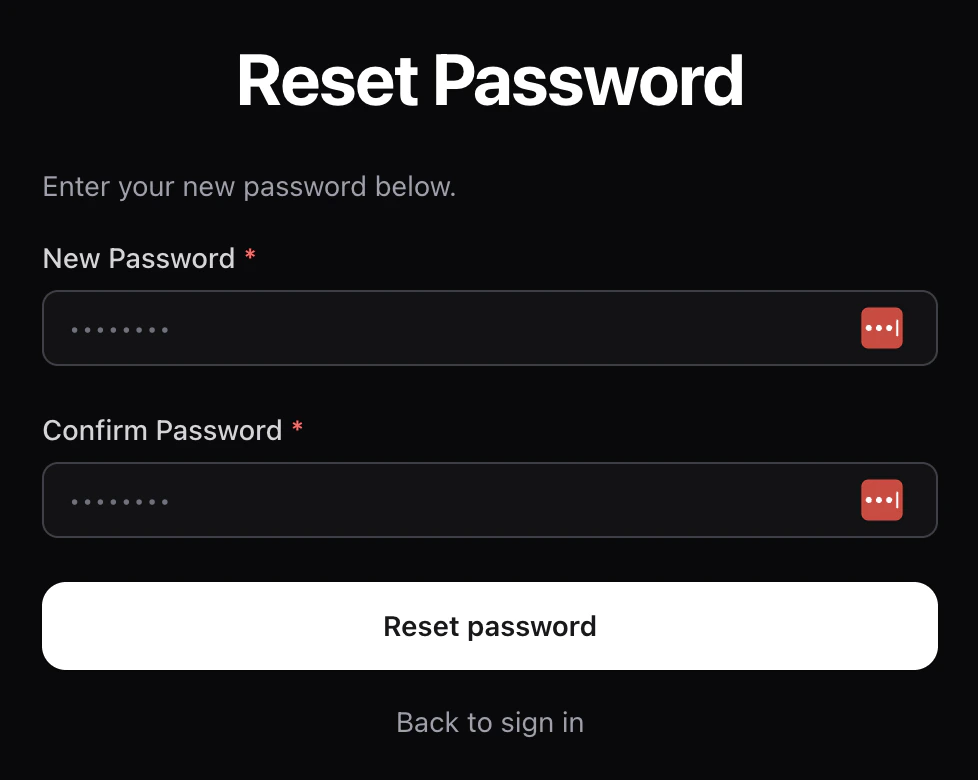
 Click the link in the email — it opens a page where you set a new
password.
Click the link in the email — it opens a page where you set a new
password.
 Old sessions are signed out automatically after a password change.
## Verifying your email
If you didn't confirm your email when you signed up, click the link in your
welcome email or open
`https://time2.bike/auth/verify-email/[code]` from the email. After
verification you can sign in normally.
## Managing active sessions
You can review every browser and device that's signed in to your account,
and sign them out individually, from
[Account → Sessions](/riders/account/security-and-sessions).
## Trouble signing in?
* **"Invalid email or password"** — double-check the email; if you have
multiple, try them all.
* **"MFA code invalid"** — codes expire after a few minutes. Click
**Resend** to get a fresh one.
* **Stuck on the MFA screen** — click **Back** to return to the password
step.
* Still locked out? Email support from the help link at the bottom of the
sign-in page.
## Next
Learn how event pages work and how to pick a race.
Old sessions are signed out automatically after a password change.
## Verifying your email
If you didn't confirm your email when you signed up, click the link in your
welcome email or open
`https://time2.bike/auth/verify-email/[code]` from the email. After
verification you can sign in normally.
## Managing active sessions
You can review every browser and device that's signed in to your account,
and sign them out individually, from
[Account → Sessions](/riders/account/security-and-sessions).
## Trouble signing in?
* **"Invalid email or password"** — double-check the email; if you have
multiple, try them all.
* **"MFA code invalid"** — codes expire after a few minutes. Click
**Resend** to get a fresh one.
* **Stuck on the MFA screen** — click **Back** to return to the password
step.
* Still locked out? Email support from the help link at the bottom of the
sign-in page.
## Next
Learn how event pages work and how to pick a race.