> ## Documentation Index
> Fetch the complete documentation index at: https://docs.time2.bike/llms.txt
> Use this file to discover all available pages before exploring further.
# Your rider profile
> View, edit, and share access to a participant profile.
A **participant profile** is the racing identity used on the start list
and in results. You can have many participants on one account — yourself,
a partner, your kids — so a parent can manage a whole family from one
inbox.
Profile URL: `time2.bike/profiles/[participantId]`.
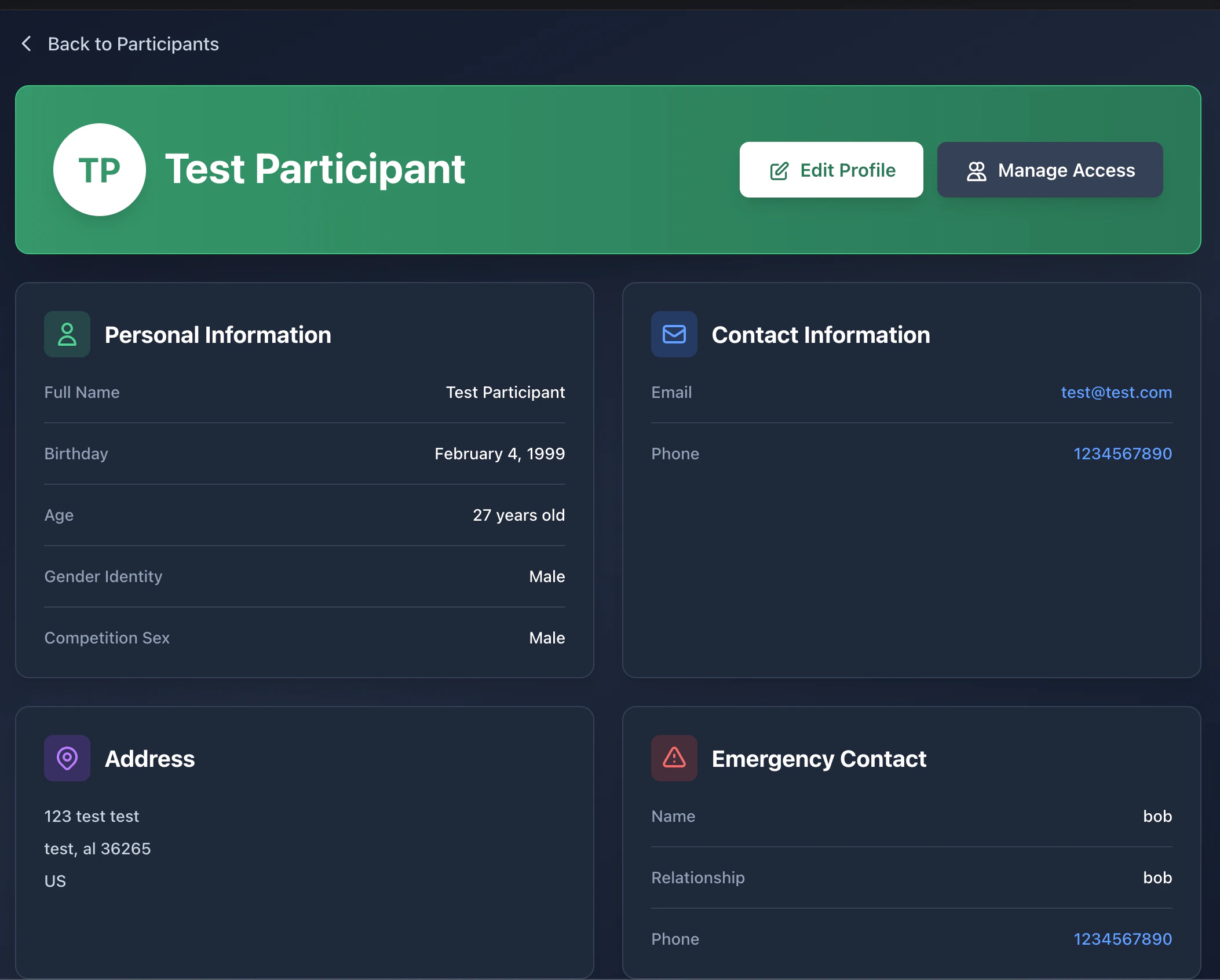 ## Profile page
The profile page shows:
* **Name and age** (calculated from birthday)
* **Hometown** and competition gender
* **Race history** — every event this participant has finished, with
elapsed time and rank
* **Series standings** if they've raced a series
* An **Edit** button (visible only if you can edit) and an
**Access** button (visible only if you're the owner)
## Editing a profile
Click **Edit profile** to open `/profiles/[participantId]/edit`. You can
update:
* First / last name
* Date of birth
* Competition sex
* Address, emergency contact
* Team affiliation
* Any optional fields the organizer asks for
Saving updates the profile everywhere on the platform. **Past results
keep the name that was recorded at the time** — name changes don't
rewrite history.
Only the **owner** of a profile or someone with **editor** / **manager**
access can edit. If you don't have permission, the Edit button is hidden.
## Sharing access to a profile
Use the **Access** page (`/profiles/[participantId]/access`) to let
someone else view or manage a participant. Common cases:
* A parent grants the other parent **manager** access to their kid.
* A team captain grants a coach **viewer** access to teammates.
### Roles
| Role | Can view | Can edit profile | Can register them | Can manage access |
| ----------- | -------- | ---------------- | ----------------- | ----------------- |
| **viewer** | ✅ | – | – | – |
| **editor** | ✅ | ✅ | ✅ | – |
| **manager** | ✅ | ✅ | ✅ | ✅ |
Owners always have all permissions and can never be removed by anyone
else.
### Inviting someone
Click **Manage access** on the profile.
## Profile page
The profile page shows:
* **Name and age** (calculated from birthday)
* **Hometown** and competition gender
* **Race history** — every event this participant has finished, with
elapsed time and rank
* **Series standings** if they've raced a series
* An **Edit** button (visible only if you can edit) and an
**Access** button (visible only if you're the owner)
## Editing a profile
Click **Edit profile** to open `/profiles/[participantId]/edit`. You can
update:
* First / last name
* Date of birth
* Competition sex
* Address, emergency contact
* Team affiliation
* Any optional fields the organizer asks for
Saving updates the profile everywhere on the platform. **Past results
keep the name that was recorded at the time** — name changes don't
rewrite history.
Only the **owner** of a profile or someone with **editor** / **manager**
access can edit. If you don't have permission, the Edit button is hidden.
## Sharing access to a profile
Use the **Access** page (`/profiles/[participantId]/access`) to let
someone else view or manage a participant. Common cases:
* A parent grants the other parent **manager** access to their kid.
* A team captain grants a coach **viewer** access to teammates.
### Roles
| Role | Can view | Can edit profile | Can register them | Can manage access |
| ----------- | -------- | ---------------- | ----------------- | ----------------- |
| **viewer** | ✅ | – | – | – |
| **editor** | ✅ | ✅ | ✅ | – |
| **manager** | ✅ | ✅ | ✅ | ✅ |
Owners always have all permissions and can never be removed by anyone
else.
### Inviting someone
Click **Manage access** on the profile.
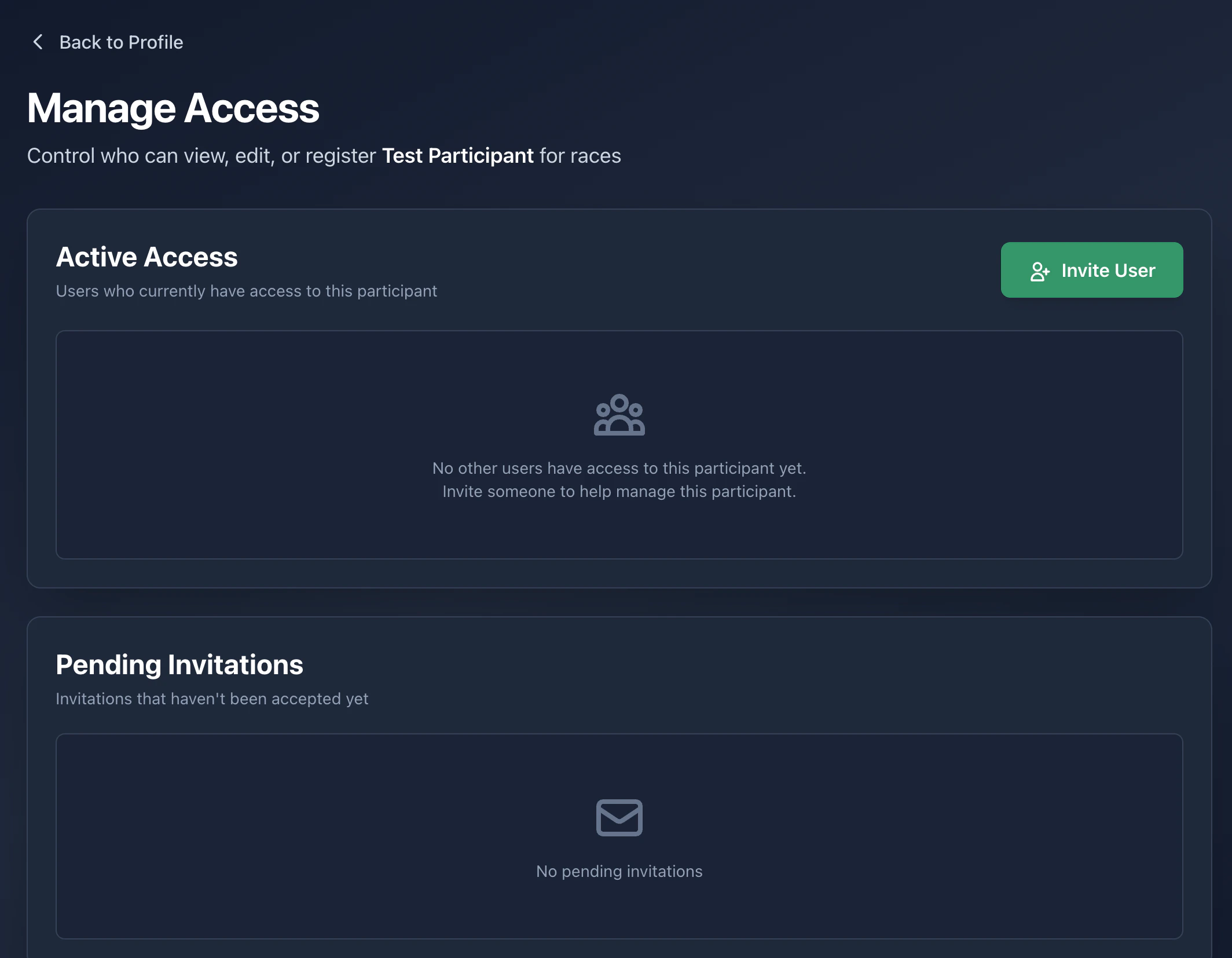 Send the invite. They get an email link.
Once they accept, they show up in the **Managers** list. Revoke any
time with the trash icon.
## My participants list
Your full participant list lives at `time2.bike/profiles`. From there you
can:
* Open any profile
* Create a new participant
* See which profiles you own vs. ones you only have access to
Send the invite. They get an email link.
Once they accept, they show up in the **Managers** list. Revoke any
time with the trash icon.
## My participants list
Your full participant list lives at `time2.bike/profiles`. From there you
can:
* Open any profile
* Create a new participant
* See which profiles you own vs. ones you only have access to