> ## Documentation Index
> Fetch the complete documentation index at: https://docs.time2.bike/llms.txt
> Use this file to discover all available pages before exploring further.
# Browsing the store
> Buy merchandise from a Time2Bike organizer.
Organizations on Time2Bike can run a public **merch store** at
`time2.bike/[orgSlug]/store`. Typical inventory: jerseys, T-shirts, hats,
water bottles, stickers, and pre-orderable event swag.
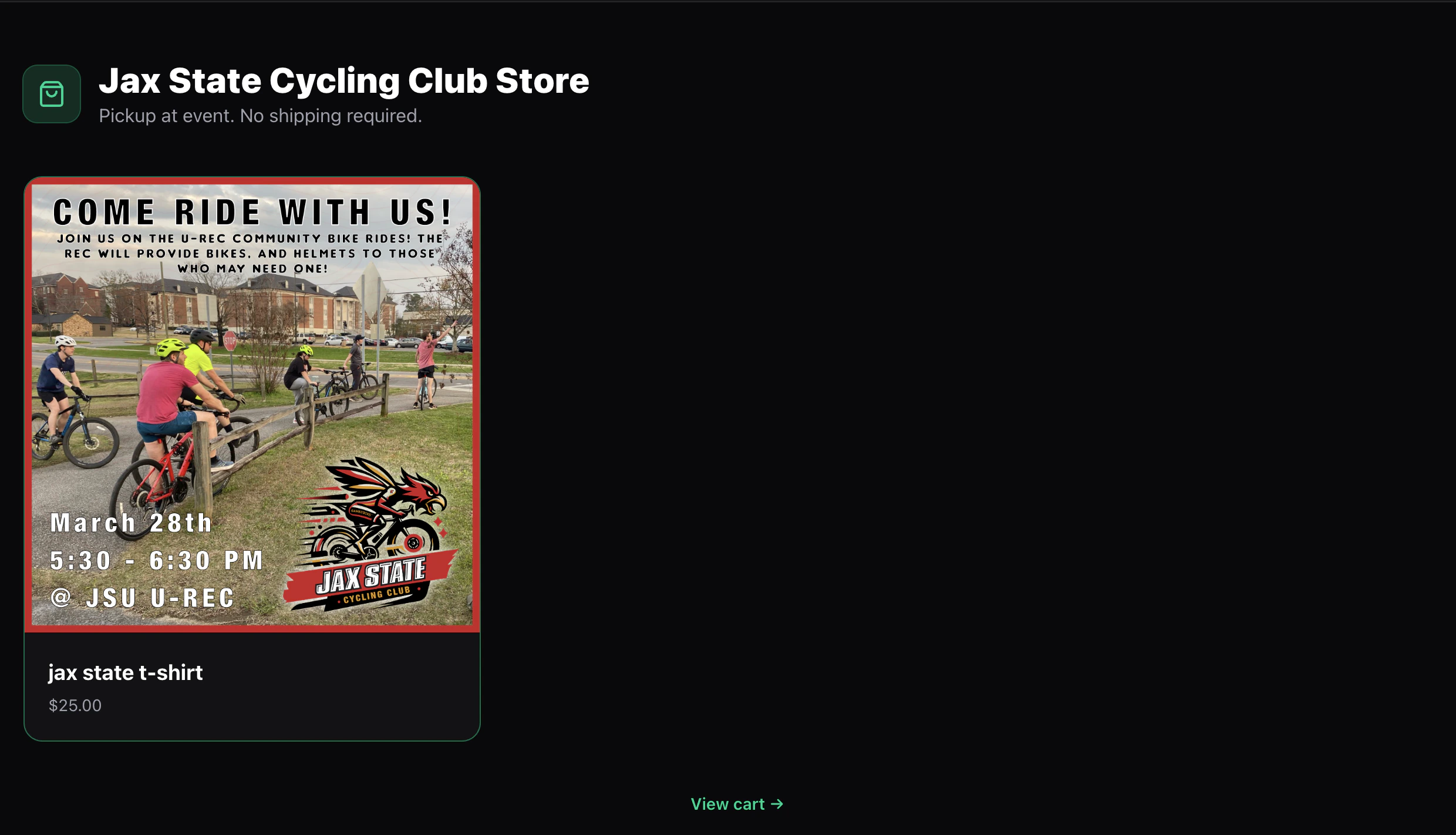 ## Store page
The landing page shows every active, publicly-visible product as a card:
* Product photo
* Name and short description
* Price (the lowest variant price for products with multiple sizes, or a single price if all variants are the same)
Some products may be **event-exclusive** — the organizer can list them
as registration add-ons only, in which case they don't appear in the
public store. You'll see those during checkout for the event they're
tied to.
Click a card to open the product page.
## Product page
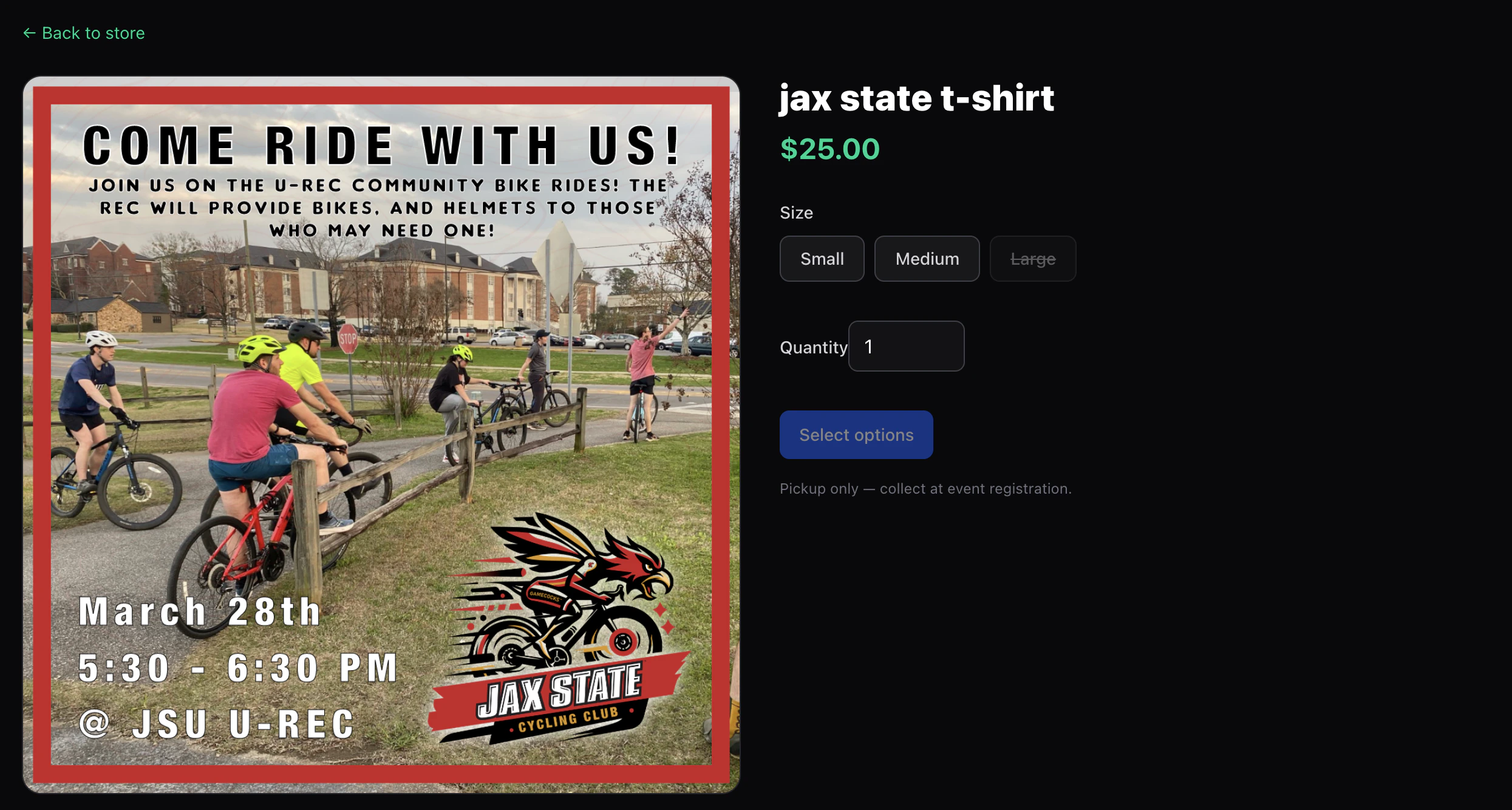
`time2.bike/[orgSlug]/store/[productSlug]` has:
* A photo gallery
* The full description (markdown)
* A **variant** picker (e.g. Size, Color) if the product has options
* A **Quantity** picker
* **Add to cart**
* A note about how the product is fulfilled — either **pickup at the
event** or **ships to your address**
Variants that are sold out are dimmed and can't be selected.
## Store page
The landing page shows every active, publicly-visible product as a card:
* Product photo
* Name and short description
* Price (the lowest variant price for products with multiple sizes, or a single price if all variants are the same)
Some products may be **event-exclusive** — the organizer can list them
as registration add-ons only, in which case they don't appear in the
public store. You'll see those during checkout for the event they're
tied to.
Click a card to open the product page.
## Product page
`time2.bike/[orgSlug]/store/[productSlug]` has:
* A photo gallery
* The full description (markdown)
* A **variant** picker (e.g. Size, Color) if the product has options
* A **Quantity** picker
* **Add to cart**
* A note about how the product is fulfilled — either **pickup at the
event** or **ships to your address**
Variants that are sold out are dimmed and can't be selected.
 ## Cart
The cart lives at `time2.bike/[orgSlug]/store/cart` and is stored
**locally in your browser** until checkout. That means:
* Adding to cart works without an account.
* Carts don't sync across devices.
* Clearing site data clears the cart.
You can change quantities or remove items from this page.
## Next
Pay for your merch order and what happens after.
## Cart
The cart lives at `time2.bike/[orgSlug]/store/cart` and is stored
**locally in your browser** until checkout. That means:
* Adding to cart works without an account.
* Carts don't sync across devices.
* Clearing site data clears the cart.
You can change quantities or remove items from this page.
## Next
Pay for your merch order and what happens after.