> ## Documentation Index
> Fetch the complete documentation index at: https://docs.time2.bike/llms.txt
> Use this file to discover all available pages before exploring further.
# Store checkout
> Place a merch order on Time2Bike.
When you're ready to buy, head to `time2.bike/[orgSlug]/store/cart`.
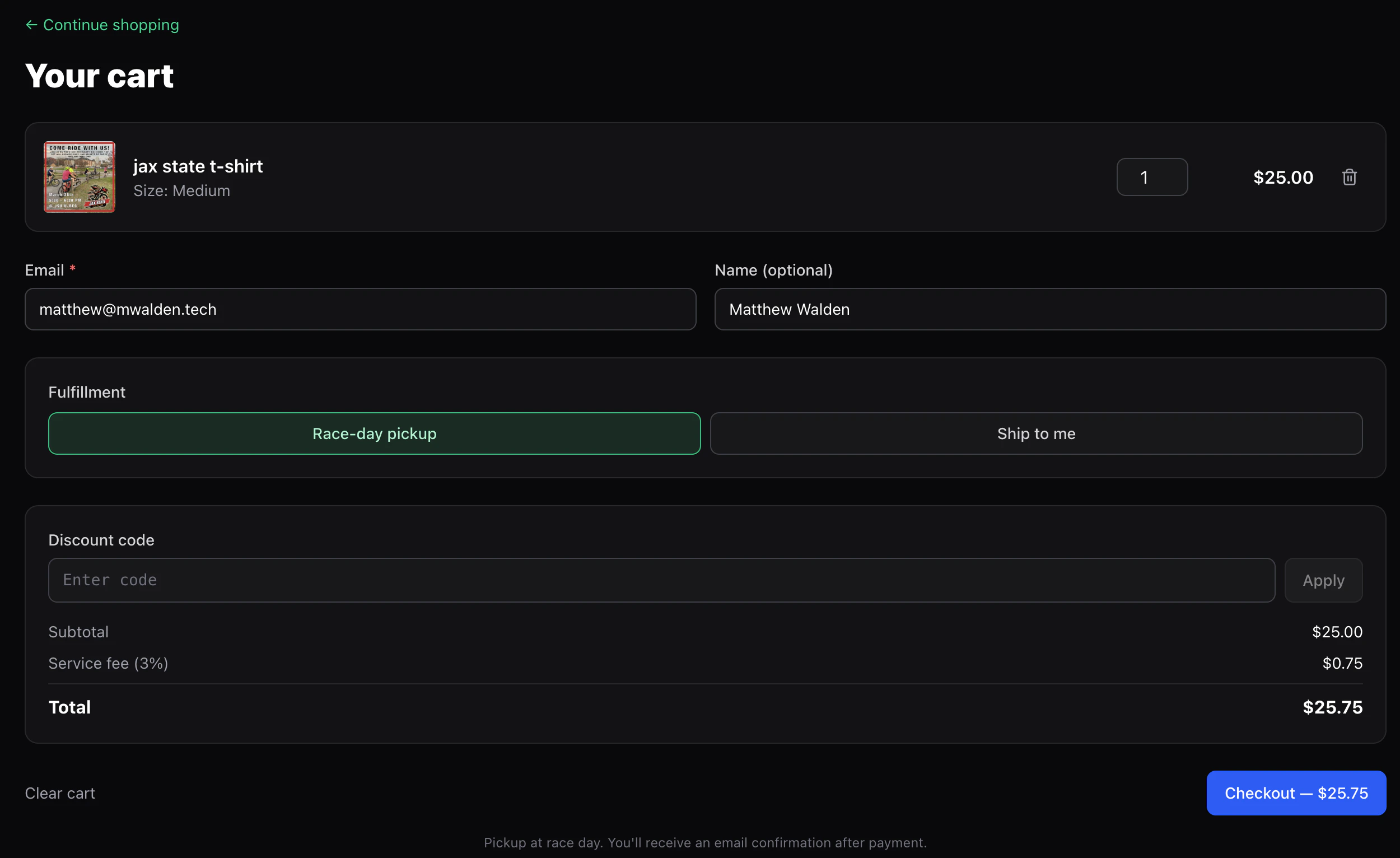 ## What you'll enter
* **Email** — for the receipt and pickup info. Pre-filled if you're
signed in.
* **Name** — name on the order, for pickup.
* **Fulfillment**:
* **Pickup** — collect at the event the organizer designated.
* **Ship** — enter a shipping address. Only available when **every**
item in your cart has shipping enabled by the organizer. Mixed
carts (a shippable hat with a pickup-only race shirt) force pickup
for the whole order.
* **Shipping address** — line 1, optional line 2, city, optional
state/region, postal code, country. Required when you pick **Ship**.
* **Discount code** (optional) — if the organizer gave you one, type
it in and click **Apply**. The cart re-validates the code whenever
you change quantities so the discount stays accurate.
You don't need a Time2Bike account to buy merch, but signing in pre-fills
your info and ties the order to your account history.
## Totals
The cart shows:
* **Subtotal** — sum of all line items.
* **Discount** (if a valid code is applied) — subtracted from the subtotal.
* **Service fee** — 3% of the **net subtotal** (post-discount).
* **Total** — what your card will be charged.
If a discount brings your total to **\$0.00**, you skip Stripe entirely
and land straight on the confirmation page — no card needed.
## Checking out
For paid orders you're redirected to Stripe Checkout. The discount
appears as its own line on the Stripe page so you can see exactly
what's coming off.
Stripe handles the card and any wallet payments the org has enabled.
`/[orgSlug]/store/finish/[sessionId]` confirms the order and clears
your cart.
## What you'll enter
* **Email** — for the receipt and pickup info. Pre-filled if you're
signed in.
* **Name** — name on the order, for pickup.
* **Fulfillment**:
* **Pickup** — collect at the event the organizer designated.
* **Ship** — enter a shipping address. Only available when **every**
item in your cart has shipping enabled by the organizer. Mixed
carts (a shippable hat with a pickup-only race shirt) force pickup
for the whole order.
* **Shipping address** — line 1, optional line 2, city, optional
state/region, postal code, country. Required when you pick **Ship**.
* **Discount code** (optional) — if the organizer gave you one, type
it in and click **Apply**. The cart re-validates the code whenever
you change quantities so the discount stays accurate.
You don't need a Time2Bike account to buy merch, but signing in pre-fills
your info and ties the order to your account history.
## Totals
The cart shows:
* **Subtotal** — sum of all line items.
* **Discount** (if a valid code is applied) — subtracted from the subtotal.
* **Service fee** — 3% of the **net subtotal** (post-discount).
* **Total** — what your card will be charged.
If a discount brings your total to **\$0.00**, you skip Stripe entirely
and land straight on the confirmation page — no card needed.
## Checking out
For paid orders you're redirected to Stripe Checkout. The discount
appears as its own line on the Stripe page so you can see exactly
what's coming off.
Stripe handles the card and any wallet payments the org has enabled.
`/[orgSlug]/store/finish/[sessionId]` confirms the order and clears
your cart.
 ## Pickup vs shipping
Most Time2Bike merch is built for **pickup at the event** — the
organizer hands out gear on race day. Some products also support
shipping; the product page tells you which. If you ordered a pickup-only
item and can't make it to the event, contact the organizer directly.
## Order history
If you were signed in at checkout, the order shows up in
[Account → Billing](/riders/account/billing-history). Guest orders show
up only in your email receipt.
## Pickup vs shipping
Most Time2Bike merch is built for **pickup at the event** — the
organizer hands out gear on race day. Some products also support
shipping; the product page tells you which. If you ordered a pickup-only
item and can't make it to the event, contact the organizer directly.
## Order history
If you were signed in at checkout, the order shows up in
[Account → Billing](/riders/account/billing-history). Guest orders show
up only in your email receipt.