> ## Documentation Index
> Fetch the complete documentation index at: https://docs.time2.bike/llms.txt
> Use this file to discover all available pages before exploring further.
# Tokens & QR codes
> Hand a volunteer a phone without giving them access to your organization.
A **timing link** turns any device into a timing device for one event. Your
volunteer scans a QR code and starts timing — no account, no password, no access
to anything else you run.
 ## Create one
You need to be an organization member, or hold a timing link with admin
access.
Fill in:
| Field | What to put |
| ----------------- | ----------------------------------------------------------------------------------------------------- |
| **Label** | For you, not them — "Finish line phone 1", "Sarah's phone" |
| **Roles** | What they're allowed to do. **Timer** for most volunteers — see [Who can do what](/timing/crew/roles) |
| **Expires in** | Hours from now. Set it to just past the end of your event |
| **Allowed races** | Optional. Restricts them to specific races in the event |
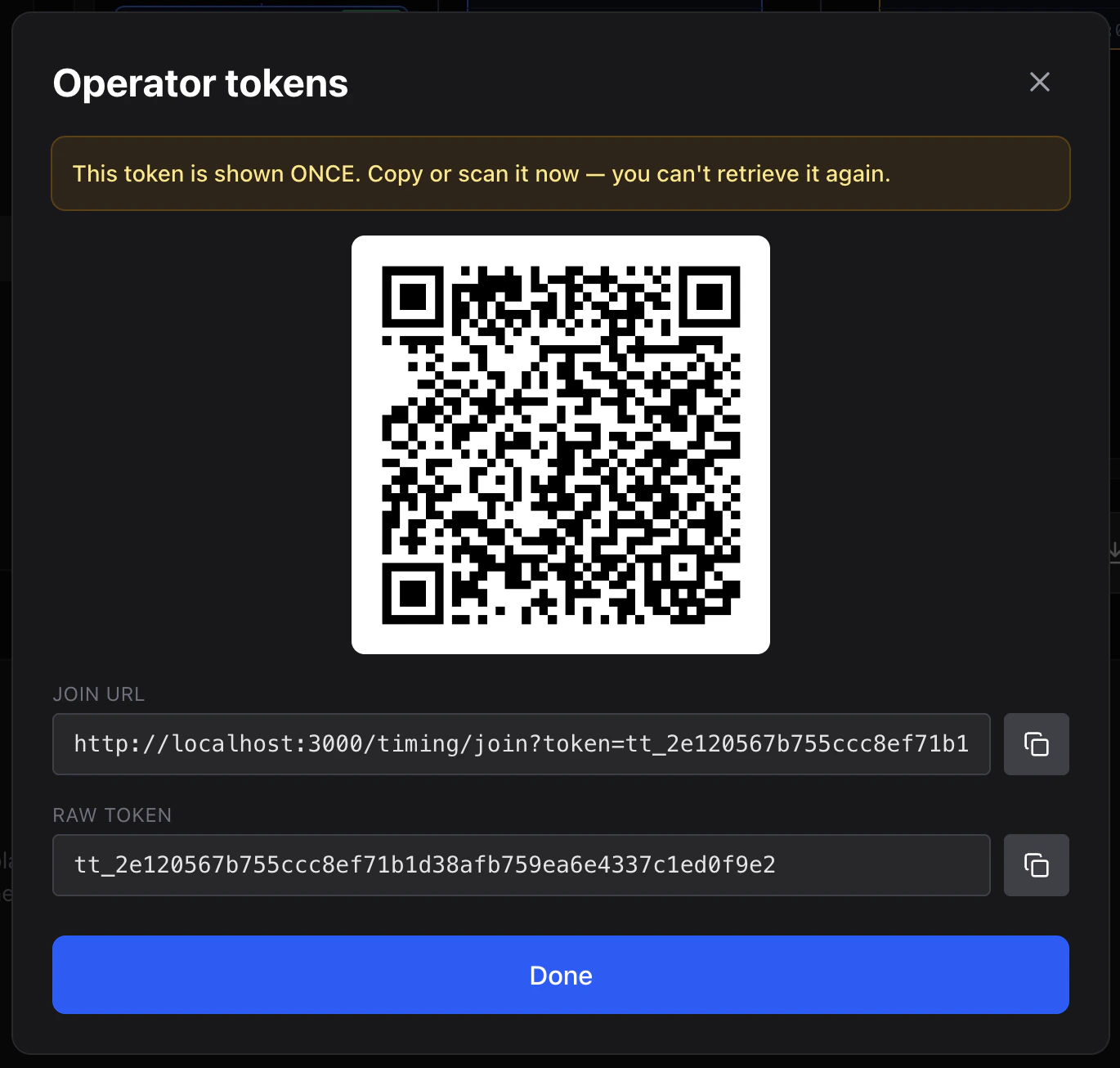
You see the link and QR code **once**. Screenshot it, print it, or copy it
somewhere now.
If you lose it, no harm done — revoke it and issue another.
Issue one link **per phone**, not per person. If a volunteer's phone dies and
they borrow another, you want to be able to switch off the dead one without
cutting off everyone else.
## Handing them out
Print each QR code with the volunteer's name on it and put them in envelopes.
It's the fastest possible race-morning handover: one piece of paper, one scan,
they're timing.
Or text the link. Either works.
## What your volunteer sees
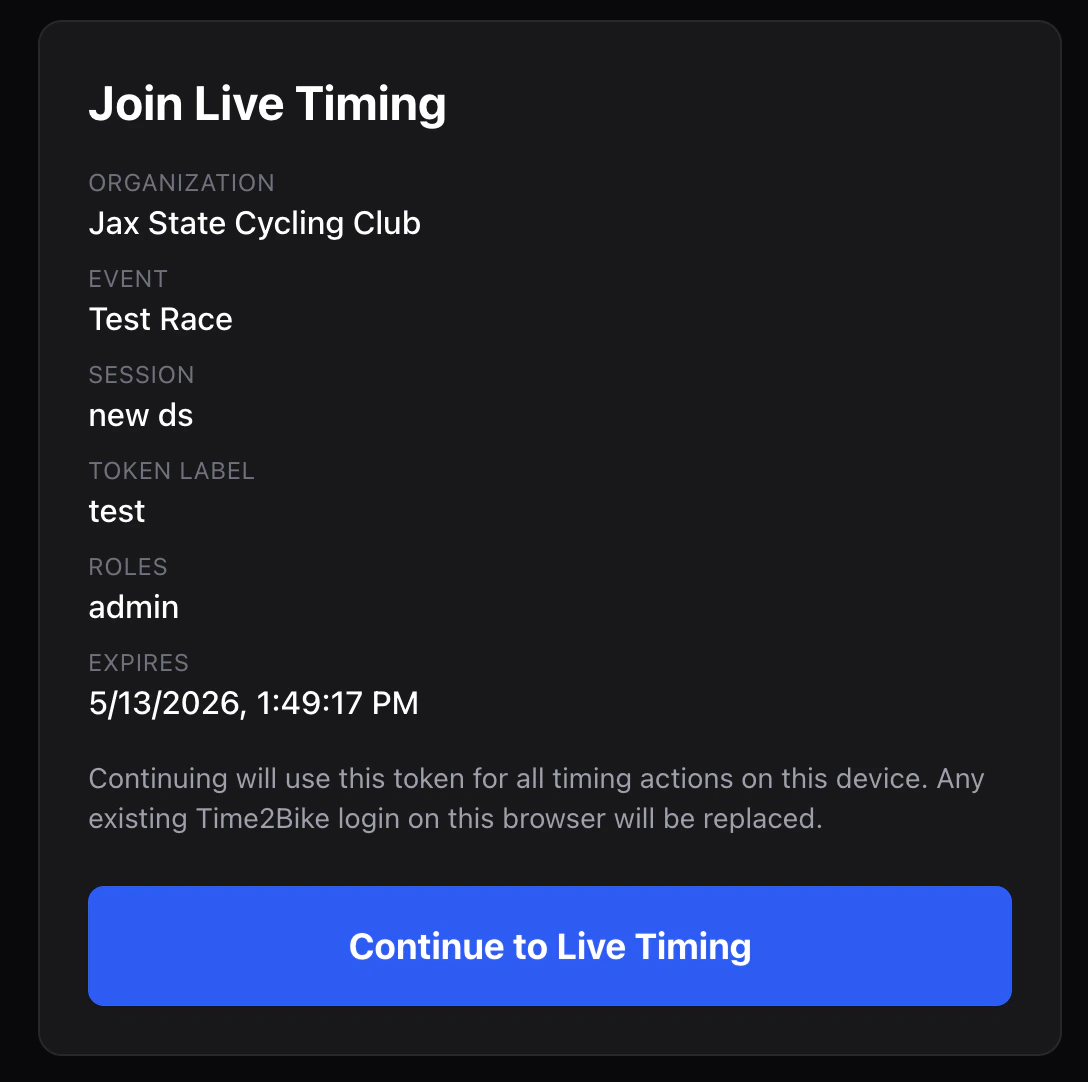
They open the QR code or link on their phone and get a confirmation card showing
which organization and event they're joining and what they'll be able to do.
They tap **Continue** and they're on the timing screen.
## Create one
You need to be an organization member, or hold a timing link with admin
access.
Fill in:
| Field | What to put |
| ----------------- | ----------------------------------------------------------------------------------------------------- |
| **Label** | For you, not them — "Finish line phone 1", "Sarah's phone" |
| **Roles** | What they're allowed to do. **Timer** for most volunteers — see [Who can do what](/timing/crew/roles) |
| **Expires in** | Hours from now. Set it to just past the end of your event |
| **Allowed races** | Optional. Restricts them to specific races in the event |
You see the link and QR code **once**. Screenshot it, print it, or copy it
somewhere now.
If you lose it, no harm done — revoke it and issue another.
Issue one link **per phone**, not per person. If a volunteer's phone dies and
they borrow another, you want to be able to switch off the dead one without
cutting off everyone else.
## Handing them out
Print each QR code with the volunteer's name on it and put them in envelopes.
It's the fastest possible race-morning handover: one piece of paper, one scan,
they're timing.
Or text the link. Either works.
## What your volunteer sees
They open the QR code or link on their phone and get a confirmation card showing
which organization and event they're joining and what they'll be able to do.
They tap **Continue** and they're on the timing screen.
 The link saves itself on that phone, so closing the browser doesn't lock them
out. They can pick it up again all day.
## Switching one off
Click **Revoke** next to any link in the token list. That device stops working
immediately.
Anything they already recorded is unaffected — revoking access never removes
results. If they're mid-race, issue a new link and have them scan it; nothing is
lost in between.
## What a timing link can't do
* Reach any other event or race in your organization.
* See registrations, rider details, or anything financial.
* Reconfigure the timer, or wipe its data.
* Issue further links, unless you gave it the admin role.
This is enforced on Time2Bike's side, not just hidden in the interface — a
volunteer link genuinely cannot reach the rest of your organization.
## Next
Where issuing links fits into the rest of race week.
The link saves itself on that phone, so closing the browser doesn't lock them
out. They can pick it up again all day.
## Switching one off
Click **Revoke** next to any link in the token list. That device stops working
immediately.
Anything they already recorded is unaffected — revoking access never removes
results. If they're mid-race, issue a new link and have them scan it; nothing is
lost in between.
## What a timing link can't do
* Reach any other event or race in your organization.
* See registrations, rider details, or anything financial.
* Reconfigure the timer, or wipe its data.
* Issue further links, unless you gave it the admin role.
This is enforced on Time2Bike's side, not just hidden in the interface — a
volunteer link genuinely cannot reach the rest of your organization.
## Next
Where issuing links fits into the rest of race week.