

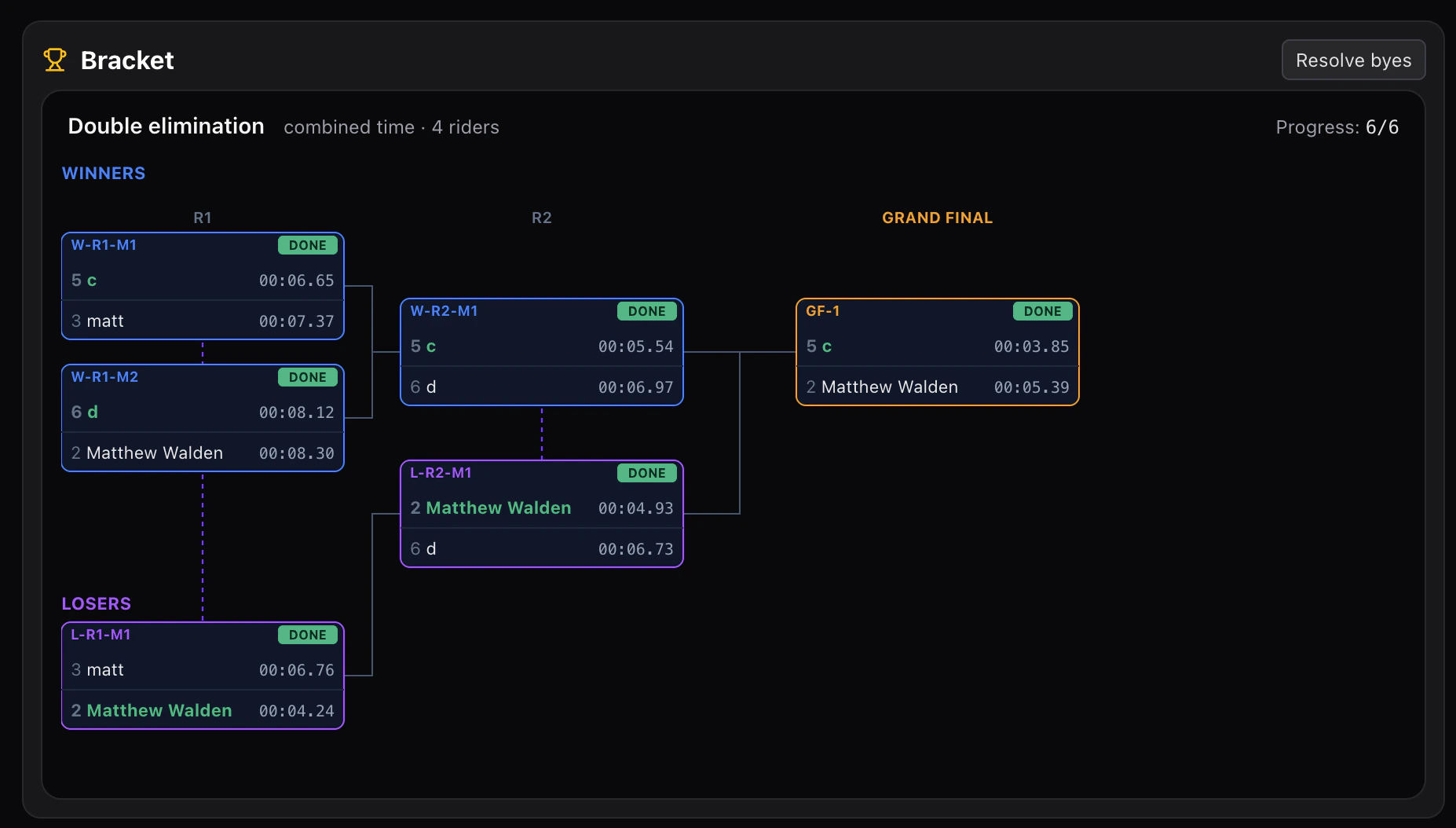
Bracket workflow
- After seeding (timed runs), the bracket is generated from the seeding results.
- Each match is a
lane_start→lane_finish(×2) pair. - The winner advances; the bracket diagram refreshes.
- Repeat until the final.
Seeding
Run astandard mode session first for seeding runs (timed individual runs). Finalize and publish those results, then create a dualSlalom session and pick the seeded riders.
Time2Bike does not currently auto-generate bracket draws from seeding results — assign matchups manually on the starter’s On deck panel for each round.
Operating during a match
- Starter types red + blue plates → START.
- Each finisher presses FINISH when their lane crosses.
- The bracket panel updates the match with both times and the winner.
- Long-press a match → Mark winner to manually override (DSQ, DNF, etc.).
Best-of-two and other formats
For best-of-two (typical slalom rule):- Run match leg 1 (red on red lane).
- Run match leg 2 (lanes swapped).
- The reducer adds the two legs’ times; lowest combined wins.