

Standard
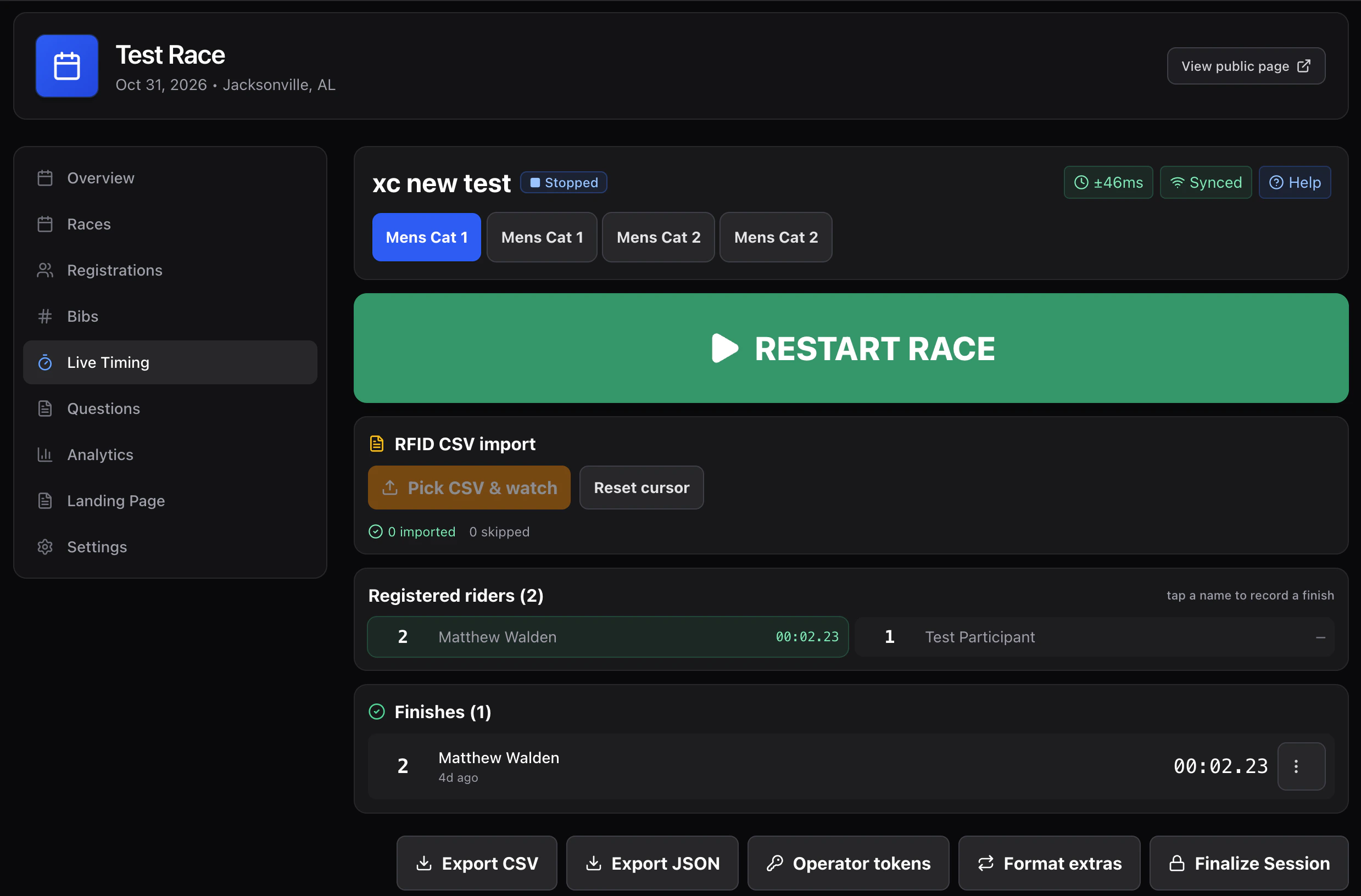
One screen, one operator. Endurance, criterium, gravel, XC, short track, time trial — anywhere riders cross the line one at a time and you record by bib.- Big START / PAUSE / STOP at the top.
- Numeric plate input always focused; Enter records a
finishfor that participant atDate.now(). - On course list sorted by elapsed time, with a
✓ finishedpill once recorded. - Registered riders list — tap a name to record a finish at “now” (for unreadable bibs).
- Long-press / right-click any row → manual time, DNF, DNS, DSQ, delete.
Dual slalom
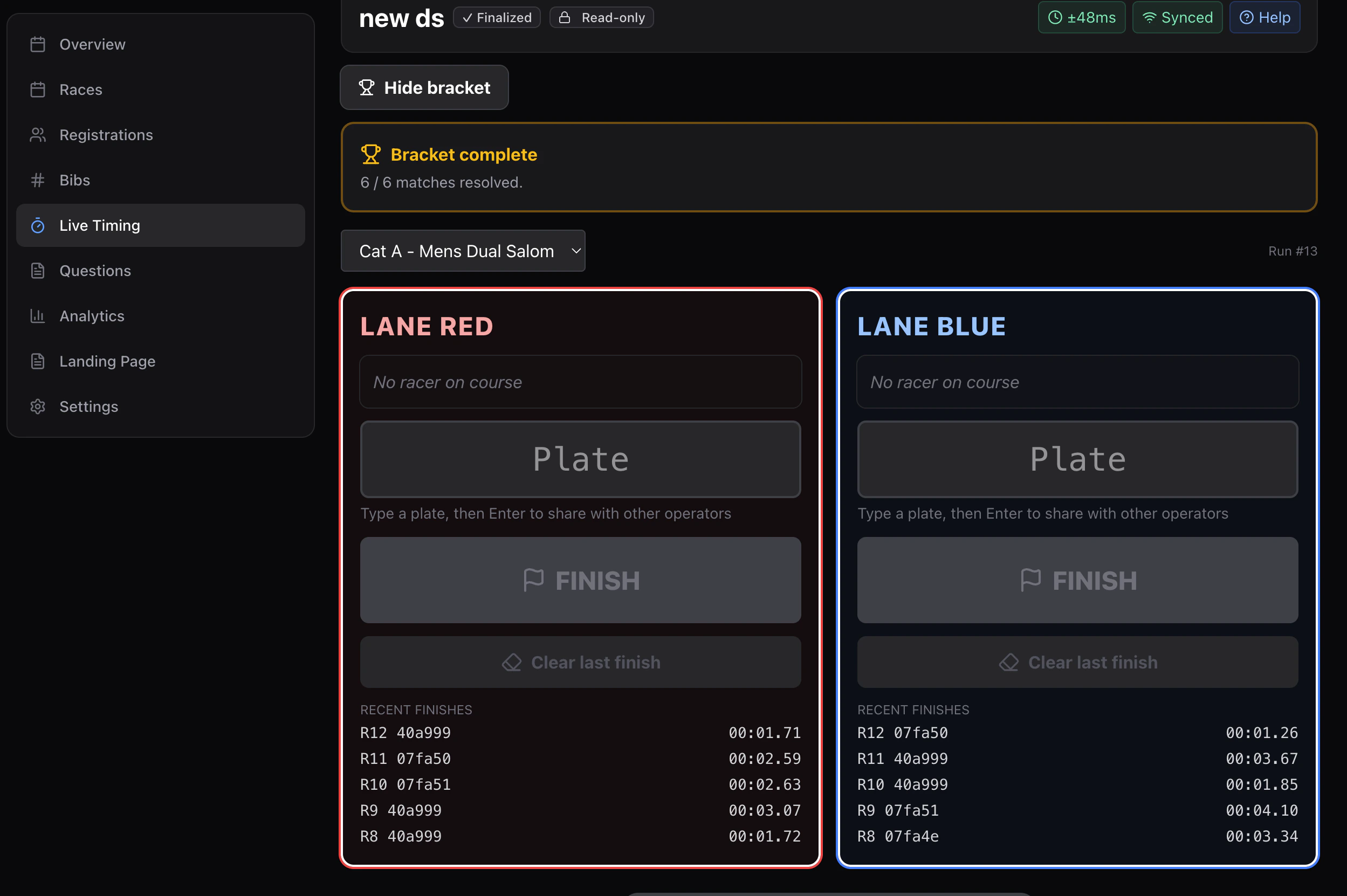
Per-device role, picked when joining the session. Built for two-lane head-to-head racing where one device sits at the top of the course and one (or two) at the bottom.- Starter — top of course. “On deck” panel: type both plates → press START. Emits
lane_startwith red + blue lane assignments and a start timestamp. - Finisher — bottom of one lane. The whole screen is a single FINISH button labeled with lane color and live elapsed time. Press =
lane_finishfor that lane. - Self-correct — finisher can press CLEAR to undo the last recorded time if they pressed too early.
Choosing
| If your race is… | Use |
|---|---|
| Mass-start with one finish line | standard |
| Time trial / individual start | standard |
| Downhill (one rider on course at a time) | standard |
| Enduro (timed stages) | standard, one session per stage |
| Dual slalom or 4X | dualSlalom |
| RFID with auto-finish detection | standard + RFID watcher |