

There’s nothing to create
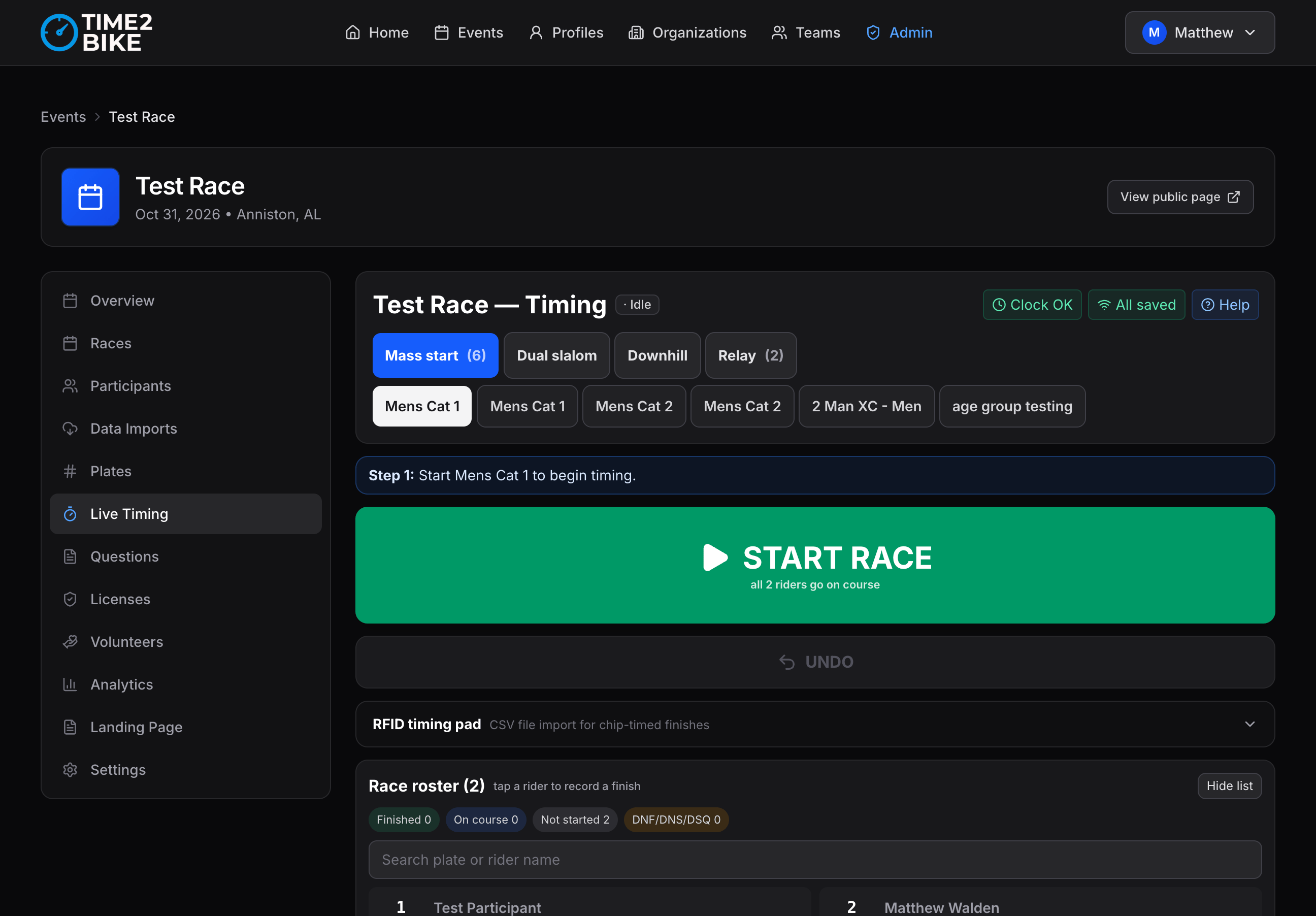
Open your event and click the Live Timing tab. That tab is the timer.- Your event has one timer, made for you the first time you open the tab.
- It covers every race in the event automatically.
- Add a race later and the timer picks it up on its own.
You don’t pick a timing “mode” either. Each race gets the right screen based
on the format you already chose when you created it — mass start, time trial,
downhill, dual slalom. Switch races at the top of the screen and the controls
change with it. See Race formats.
What you actually need
A phone or laptop
Anything from the last few years, in a normal browser.
Bib numbers on your riders
Bib numbers are the only rider identity Time2Bike uses. Assign them under
Event → Bibs.
How it works, in one paragraph
Open the Live Timing tab and press Start when the race begins. As riders cross the line you type their bib number and press Enter, or tap their name in the rider list. Each entry is stamped with the exact moment you pressed the button. When the race is over you press Stop, fix anything that looks wrong, then Finalize and Publish — and the results appear on your event page.The things that matter on race day
It works with no signal
It works with no signal
Every finish is saved to your device the instant you record it, before
anything is sent anywhere. Lose signal mid-race and nothing stops — keep
timing. It catches up on its own when the signal comes back.You can even save the whole screen to a device ahead of time so it opens
with no signal at all.→ Timing without signal
Your whole crew can time at once
Your whole crew can time at once
Put four volunteers on four devices and they all record into the same timer.
Their entries combine correctly, in the right order, even if some of them
were offline at the time — and everyone sees everyone else’s finishes
within about a second.Better still, each person says where on the course they’re standing, and
the same screen does the right job for each of them.→ Recording points
Volunteers don't need accounts
Volunteers don't need accounts
You hand out a QR code or a link. Your volunteer scans it and their device
is a timing device — no password, no account, no access to anything else in
your organization. Switch it off whenever you like.→ Volunteer links
Spectators can follow along before results are official
Spectators can follow along before results are official
Flip Share live results and you get a public link that updates as you
record. Results stay unofficial until you finalize and publish.→ Sharing live results
What it can time
Staggered starts within a race are handled by waves.
Hardware, if you have it
Everything above works by typing bib numbers. If you already own timing hardware, you can feed it in instead:- RFID pads — read from your reader’s file, keyed by bib.
- Beam-break gate boxes — Time2Bike’s laser timing system, for GPS-accurate starts and finishes.
Where to go next
I'm the race director
The race-day runbook: the week before, the morning of, and after.
I'm timing today
The one-page field guide. Keep it open while you time.
What am I looking at?
A tour of the timing screen, part by part.
Getting my crew set up
Volunteer links, and who should get what.