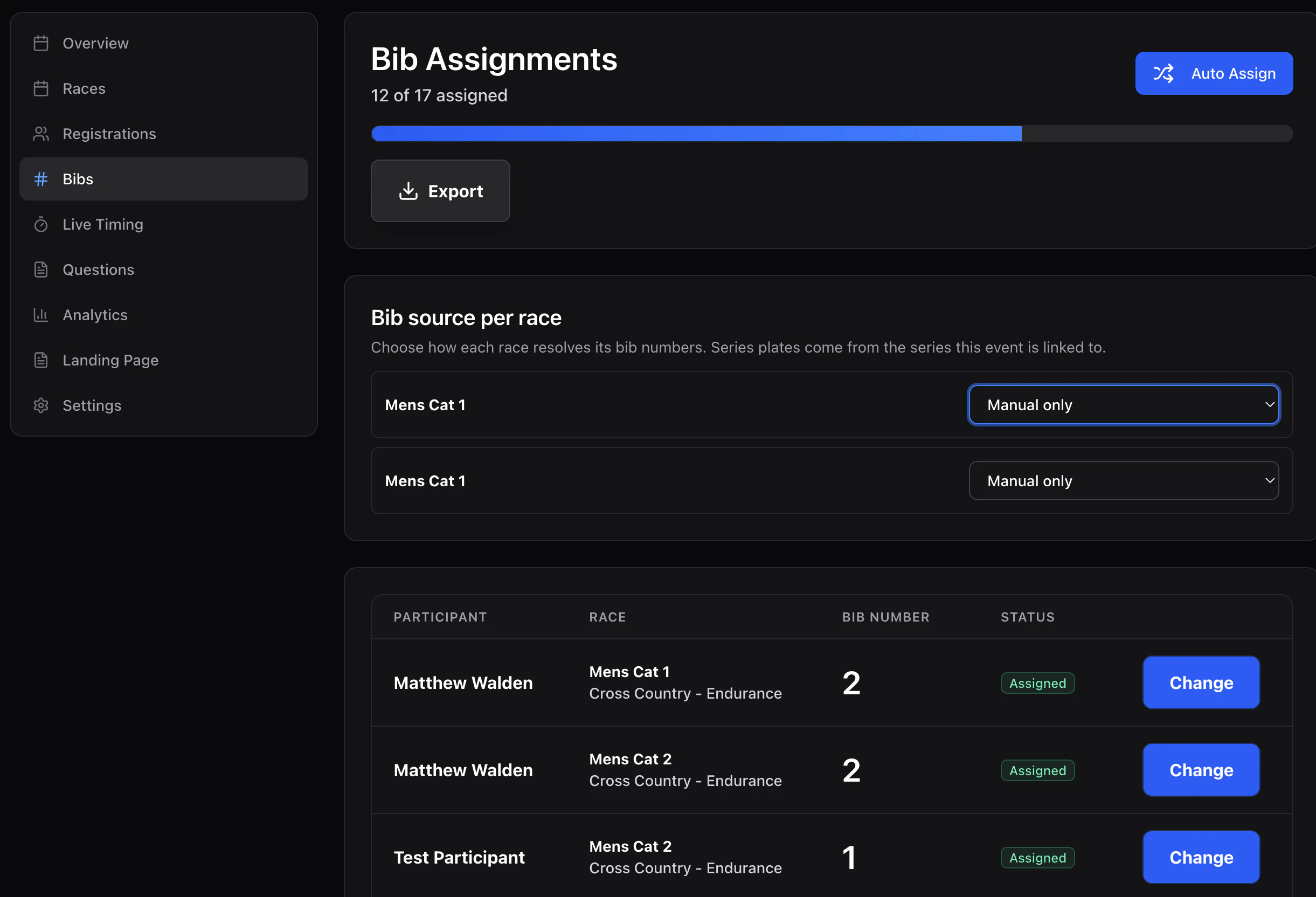
Event → Bibs is the bib (plate) manager. Each row is a registration; the Bib number column is the plate assigned to that rider for that race. Bibs

Bib source per race

Each race has a bib source that controls where the rider’s plate comes from on race day:
  • Manual only — use the plate assigned in this event (race or event scope).
  • Series only — use the plate from the series the race belongs to (see Series plates).
  • Manual, fall back to series — prefer the race/event plate; if none, use the series plate.
Change the source from the Race source dropdown above each race’s rows.

Auto-assign

Click Auto-assign. You choose:
  • Start number — first plate to hand out (default 1).
  • Race scope — apply to a specific race, or to all races in the event.
  • Assignment scopeevent (one plate per rider across all their races) or race (separate plate per race entry).
  • Methodsequential or random.
The action only fills empty slots; existing assignments are preserved. Run it again after late registrations to top up.

Manual assign

Click a row’s plate cell to enter or edit a number by hand. You’ll also pick the scope (event or race).

Export

Download CSV exports the current bib list with participant name, race, category, and plate.

Plate requests

Riders who paid the replacement plate fee during registration appear here as plate requests — yellow rows flagged Needs new plate. Filter the page with Plate request: has request to see only those rows. Click the row to assign a new number; the request transitions to New plate assigned and the new plate propagates to the series if the race is series-scoped. See New-plate requests for the full workflow, including refunds.

Transponders

For RFID-timed events, each rider’s plate also needs a chip mapping. Use the Transponders page next to Bibs to manage chip-to-participant assignments.