

time2.bike/events/[slug].
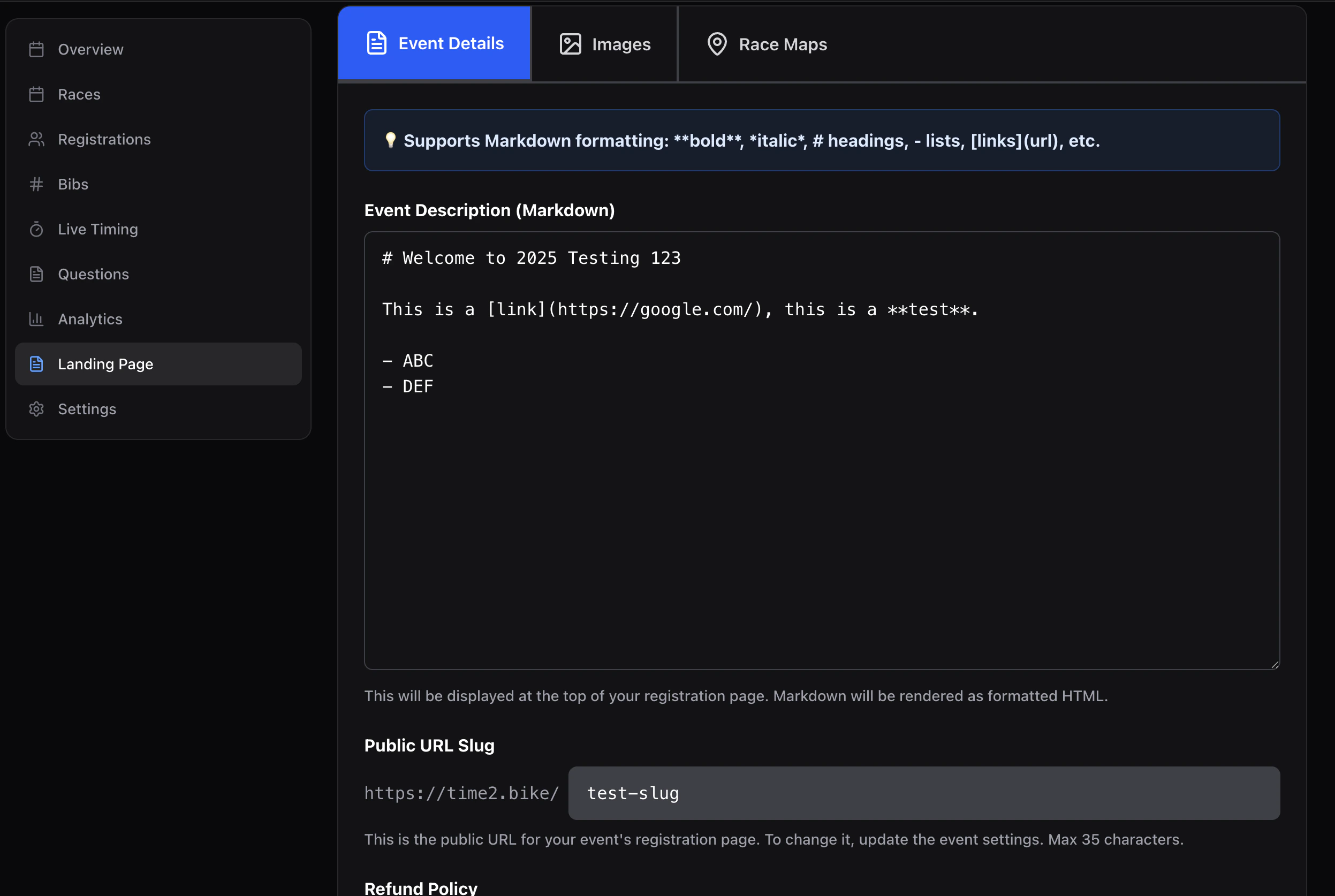
Details
- Description — markdown body of the hero.
- Slug — the URL slug (
/events/[slug]). - Refund policy — appears in the rider’s cart and on the rider event page.
Images
- Banner image — large hero. Upload via the file picker; an
altTextfield is required for accessibility. - Gallery — additional photos shown lower on the page; each is uploaded and can have alt text.
Maps
For each race in the event, paste a map embed URL (e.g. a Strava or RideWithGPS share). The rider event page renders one map per race in the Course section.Preview & publish
The Preview button opens the rider page with your unsaved edits applied. Save persists changes; they’re visible to riders immediately once the event status ispublished.