

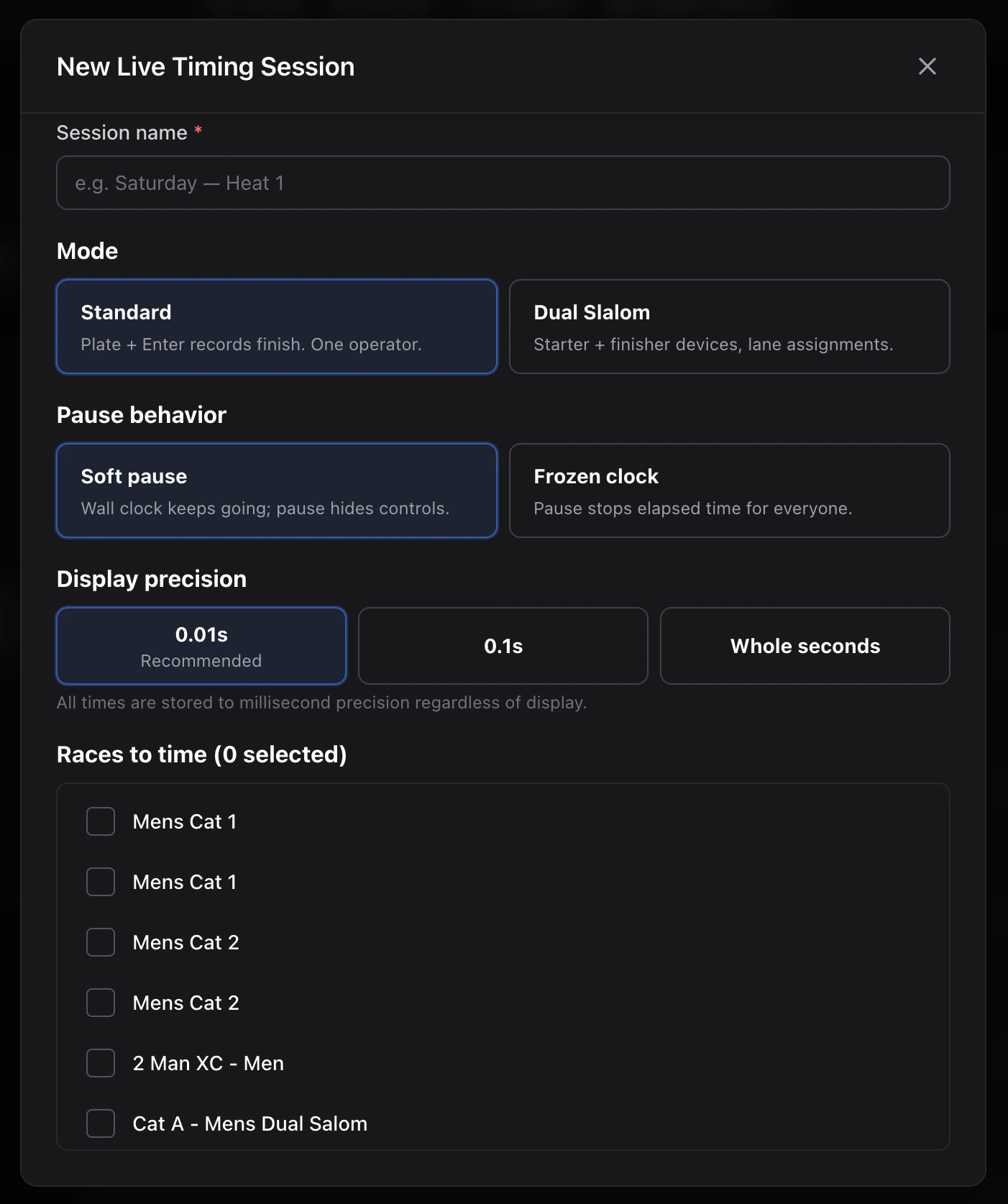
Fields
| Field | Purpose |
|---|---|
| Name | Operator-facing label (“Saturday XC AM”). |
| Mode | standard or dualSlalom. See Modes. |
| Pause semantics | frozenClock or softPause. See Sessions & races. |
| Display precision | 1 / 10 / 100 / 1000 ms. Storage is always 1 ms. |
| Races | Multi-select of races in this event. Finishes are scoped via the race tab strip. |
| Allow self-remove | Dual slalom only. Lets a finisher clear their last pressed time. |
After create
You land on the session at/organizations/[id]/events/[eventId]/timing/[sessionId]. It starts in the idle state with the clock not yet running.
You can:
- Press Race start to start the clock for the active race.
- Open Tokens to issue scoped operator links (see Tokens & QR).
- Switch race tabs to point plate input at a different race.
Limits
You can have any number of sessions per event; common patterns:- One session per discipline (XC, DH, Dual Slalom).
- One session per day of a multi-day event.
- One session per bracket.