

time2.bike/events/[slug]. It’s the one URL organizers share when they
want you to sign up.
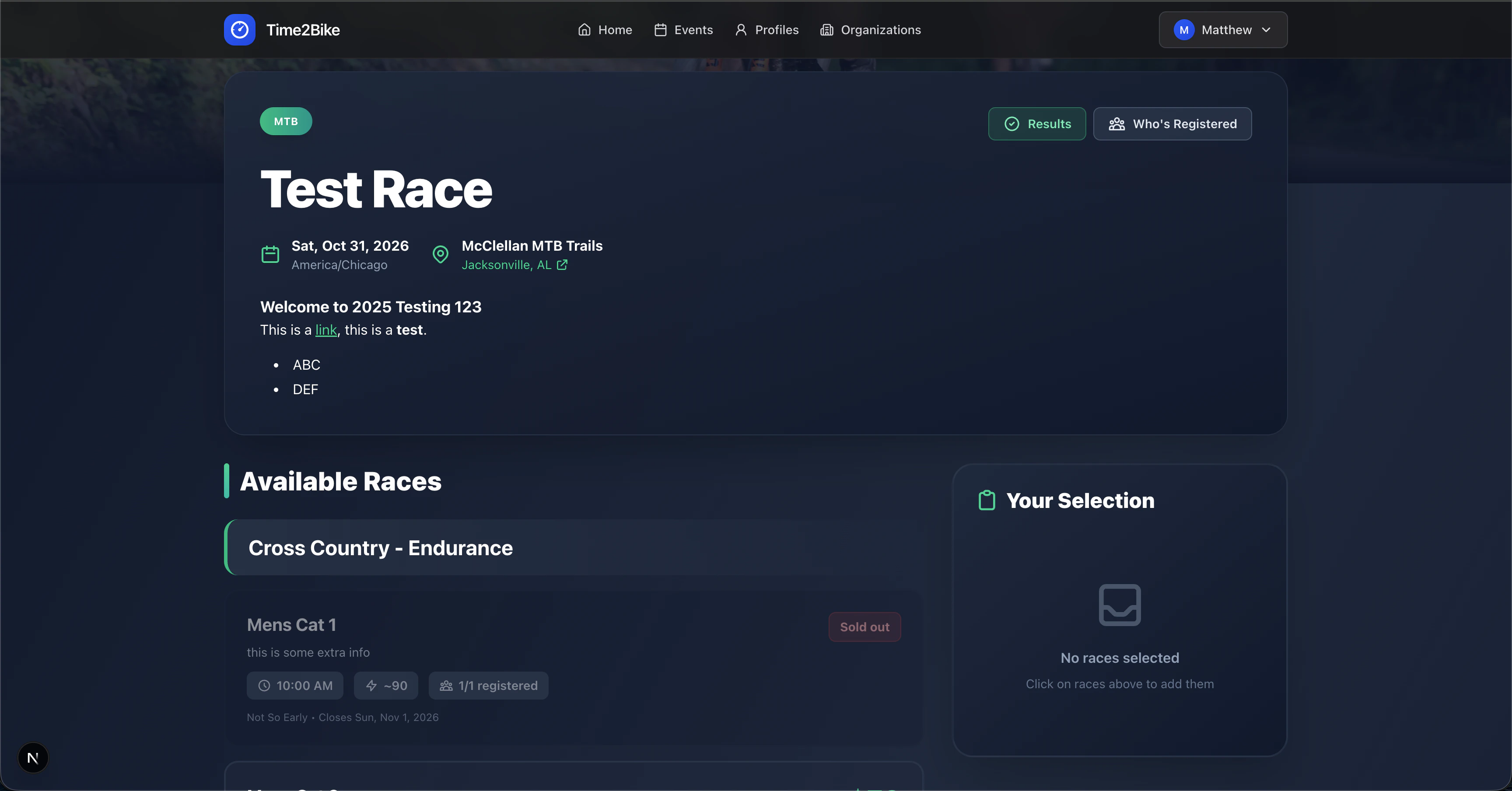
What’s on the page
Location & schedule
Location & schedule
Venue name, city/state, and the start and end times. Times are shown
in the event’s local time zone.
About / description
About / description
The organizer’s writeup of the event. Supports markdown, so you’ll
often see headings, lists, and links.
Races
Races
The list of races you can register for. Each race shows:
- Name and category (e.g. Cat 1/2/3, Sport, Beginner)
- Start time
- Capacity (
12 / 100 registered) - Price at the current price tier
- Gender restriction, if any
- Team size, for team races
- A Register checkbox / button — disabled with a reason if you can’t sign up (sold out, registration closed, race already started, gender restriction, cutoff days reached, event ended)
Sponsors
Sponsors
Logos of sponsors that support the event, linked to their sites.
Photos
Photos
Gallery added by the organizer. Click a photo to open it full-size.
Pick races and register
1
Tick the races you want
You can register for multiple races in one checkout. The running total
updates as you add and remove them.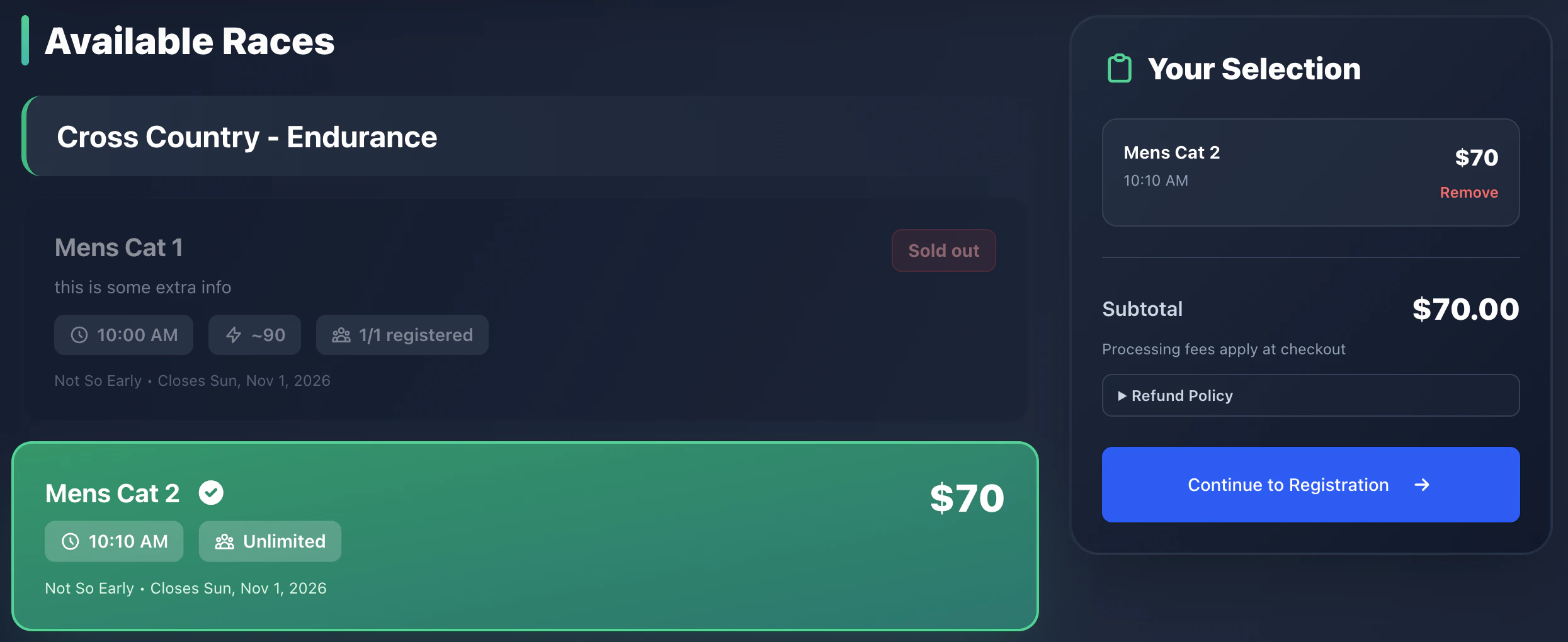
2
Click Register
If you’re not signed in yet, you’ll be sent to
sign in first, then dropped back here.
3
Continue the flow
The button takes you to
/events/[slug]/register?races=… — that’s the
registration flow.Other links from the event page
- Who’s registered —
time2.bike/events/[slug]/registrations. See the current start list grouped by race. - Live results —
…/live. Live timing during the event. - Results —
…/results. Official results after the event.
Why a race might be disabled
Time2Bike disables the Register button with a reason when:
If you think a race shouldn’t be closed, contact the organizer.