

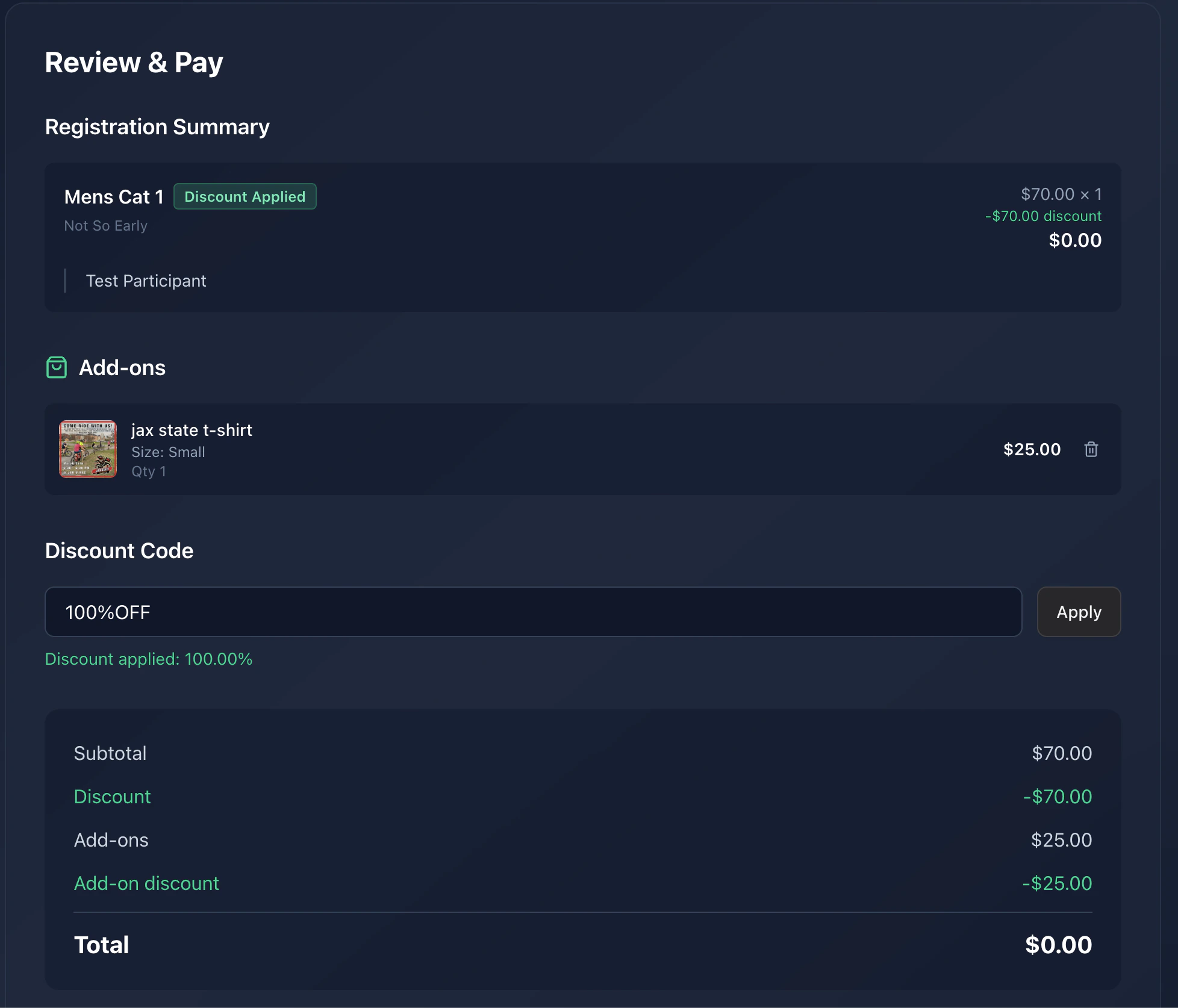
What’s on the review screen
- Per-race line items: race name, participant, price.
- Add-ons / merch: any extras you picked.
- Discount: if you applied a code, the discount line shows next to each affected race.
- Service fee: Time2Bike’s platform fee.
- Total: what your card will be charged.
Paying
1
Click Pay
You’ll be redirected to Stripe Checkout to enter (or pick) a
payment method.
2
Complete payment
Stripe handles the card, Apple Pay, Google Pay, and any other methods
the organizer has enabled. Time2Bike never sees your card number.
3
Land on the success page
After successful payment, you’re sent to
/events/[slug]/finish/[checkoutId]/registration-success.Confirmation email
Time2Bike emails a receipt and confirmation to the email on your account. It includes:- Event name, date, and venue
- Each race you registered for, with your participant name
- The total you paid
- A link back to the event page
Holds & invites
If you invited other riders during registration, their spots are held until they claim their invite. They get their own email with a “Finish your registration” link. You can see the status of your registration (including any pending invites) on the event’s Who’s registered page and on your account.Something went wrong?
- Stripe declined the card — try a different method, or contact your bank.
- Page hung after Stripe — check your email. If the receipt arrived, you’re registered. Otherwise, contact the organizer with your participant name; they can confirm and resend the link.
- Wrong participant — contact the organizer to swap before race day.
Next
See who's registered
Check the start list to confirm your name is there.