time2.bike/events/[slug]/live. The page refreshes every 30 seconds and
shows whatever the timing crew has published from the operator screen.
What’s on the page
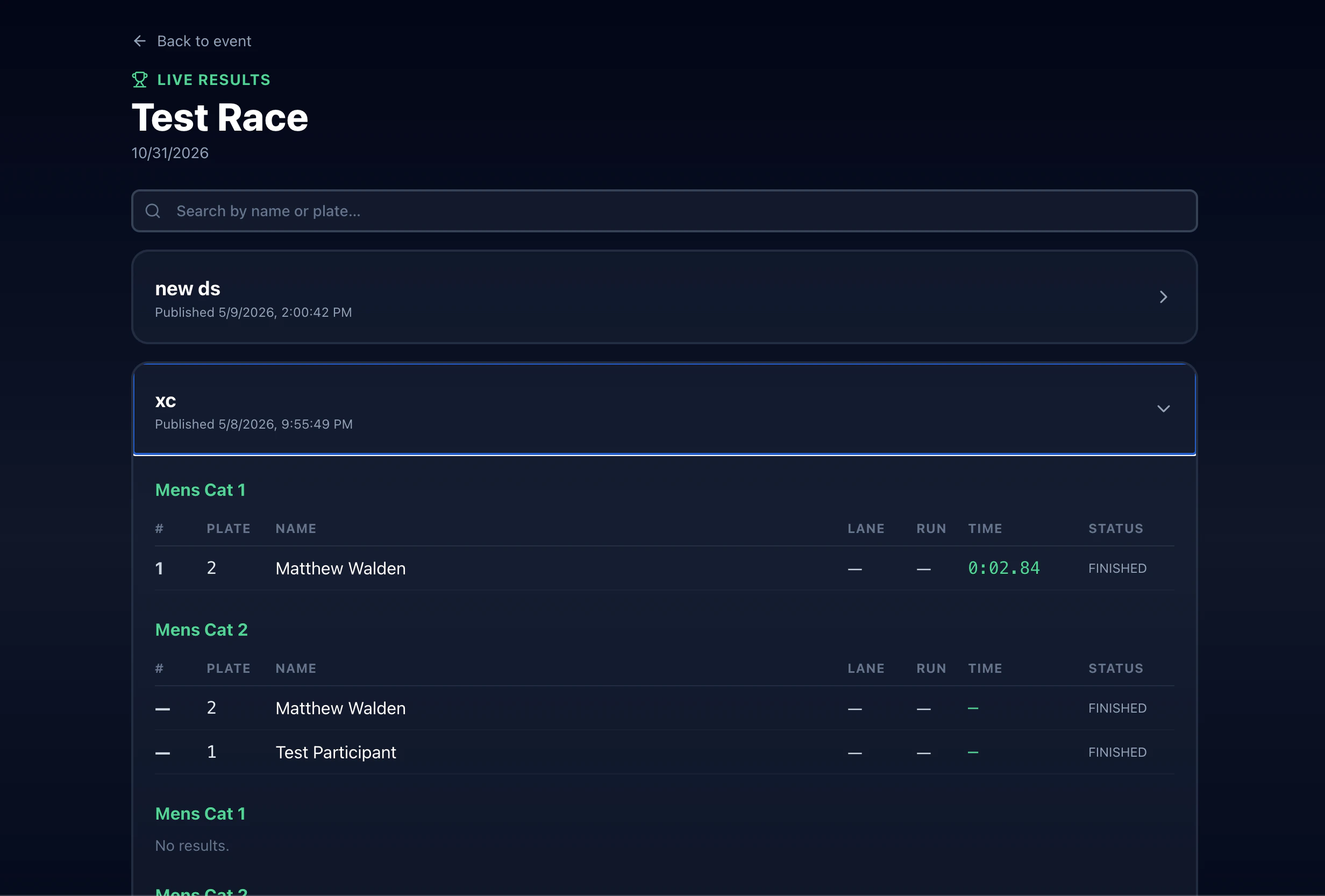
- Event name and date at the top
- A search box — filter by rider name or plate number
- One collapsible section per session — for a multi-discipline event there might be one session for the XC race and another for the dual slalom
- Inside each session, one table per race: rank, plate, name, elapsed time, status
Statuses
Time precision
Each session displays times rounded to the precision the organizer set — typically:- 1 second for endurance races
- 1/10 sec for cross-country
- 1/100 sec for dual slalom
Why a result might disappear
If the operator edits or deletes a finish (e.g., a wrong plate was entered), the row updates on the next 30-second poll. Times shouldn’t “jump around” otherwise — nothing that was already recorded gets rewritten.Brackets (dual slalom)
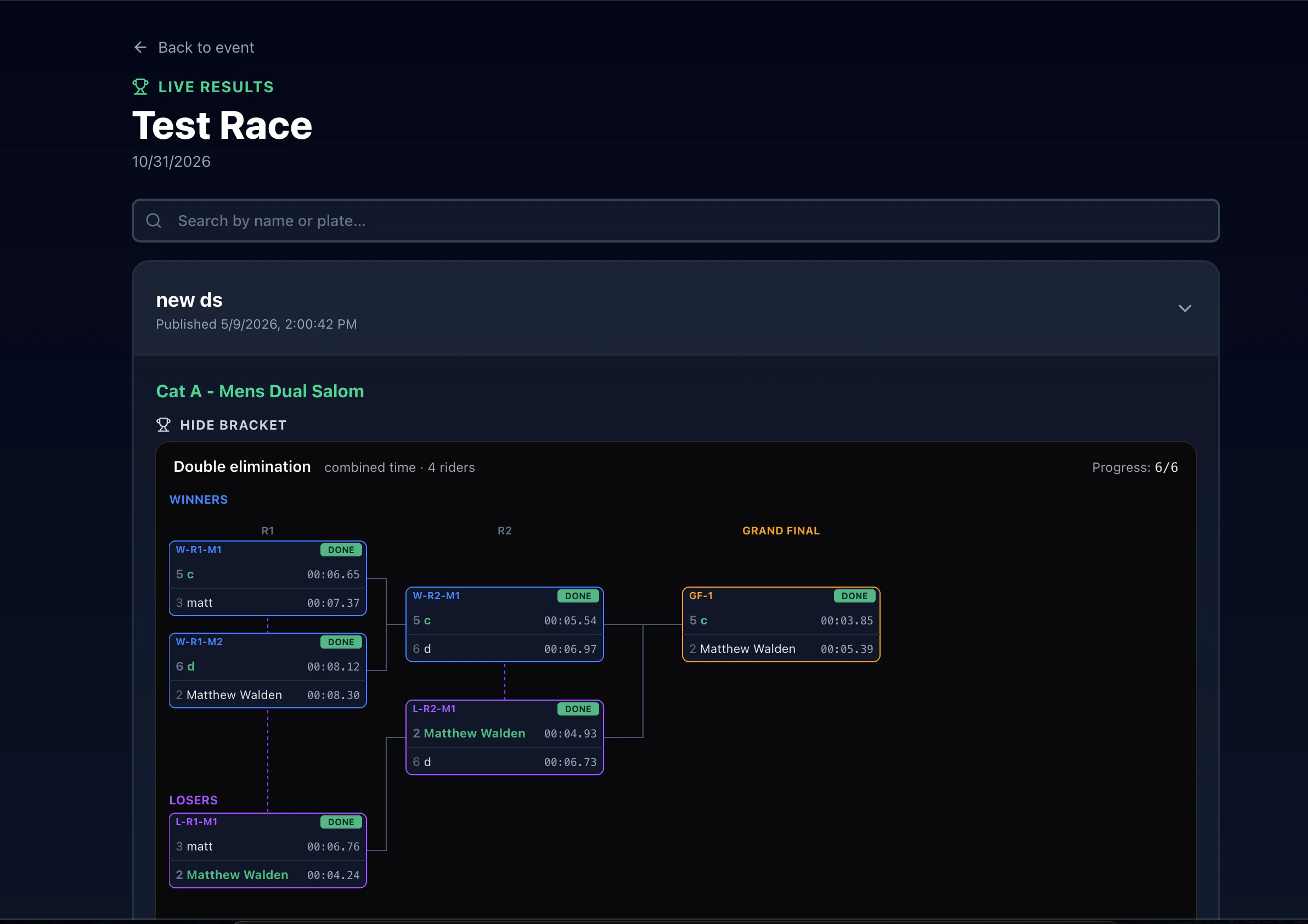
For dual slalom sessions, the live page also renders the bracket diagram. Winners advance match-by-match as the timing crew records lane finishes.