Documentation Index
Fetch the complete documentation index at: https://docs.time2.bike/llms.txt
Use this file to discover all available pages before exploring further.
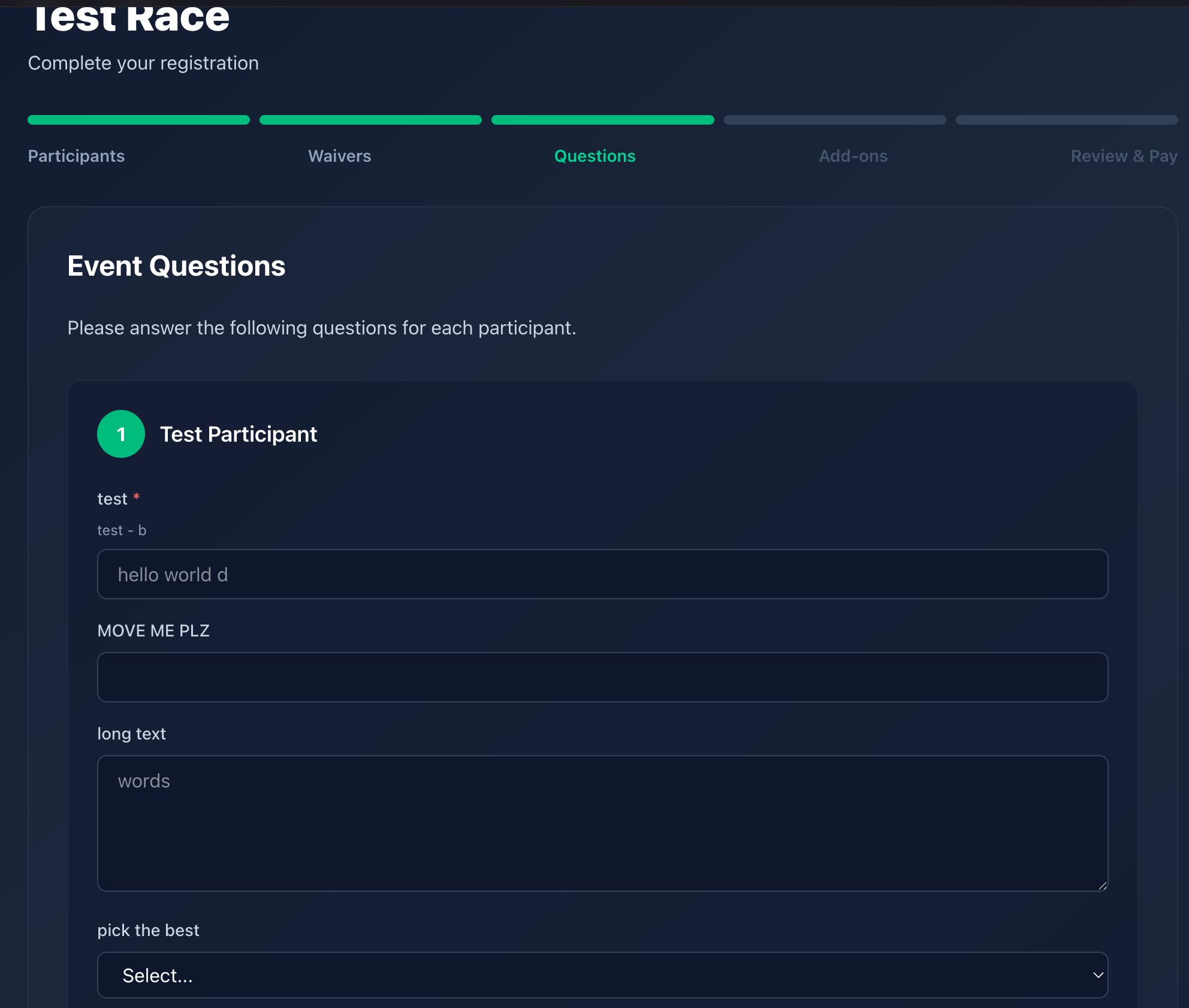
After waivers, Time2Bike shows any custom questions the organizer set
up for the event. These are per-participant and vary by event — they
might collect t-shirt size, jersey choice, category, USAC license number,
or “are you racing a tandem?”
Question types
| Type | What you do |
|---|
| Short text | Type a one-line answer. |
| Long text | Multi-line answer (notes / requests). |
| Single choice | Pick one option from a list. |
| Multiple choice | Check any that apply. |
| Number | Type a number. |
| Yes / No | Toggle. |
Required questions are marked with an asterisk; you can’t continue until
they’re all answered. Optional questions can be skipped.
Custom questions are purely informational — they collect answers, never
charge you money. Anything that costs extra (jerseys, parking passes,
drop bags) is a merch add-on, handled on the separate Add-ons step
and sourced from the event’s merch catalog. See
Browsing the store for how merch works.
Per-participant answers
Each participant in your registration gets their own copy of the
question set. If you registered three teammates, you’ll see three
sections — one per participant.
Editing answers later
Organizers can edit your answers from their dashboard if you ask, but
once you’ve paid you can’t change answers yourself. Contact the
organizer if you picked the wrong t-shirt size.