time2.bike/[orgSlug]/store/cart.
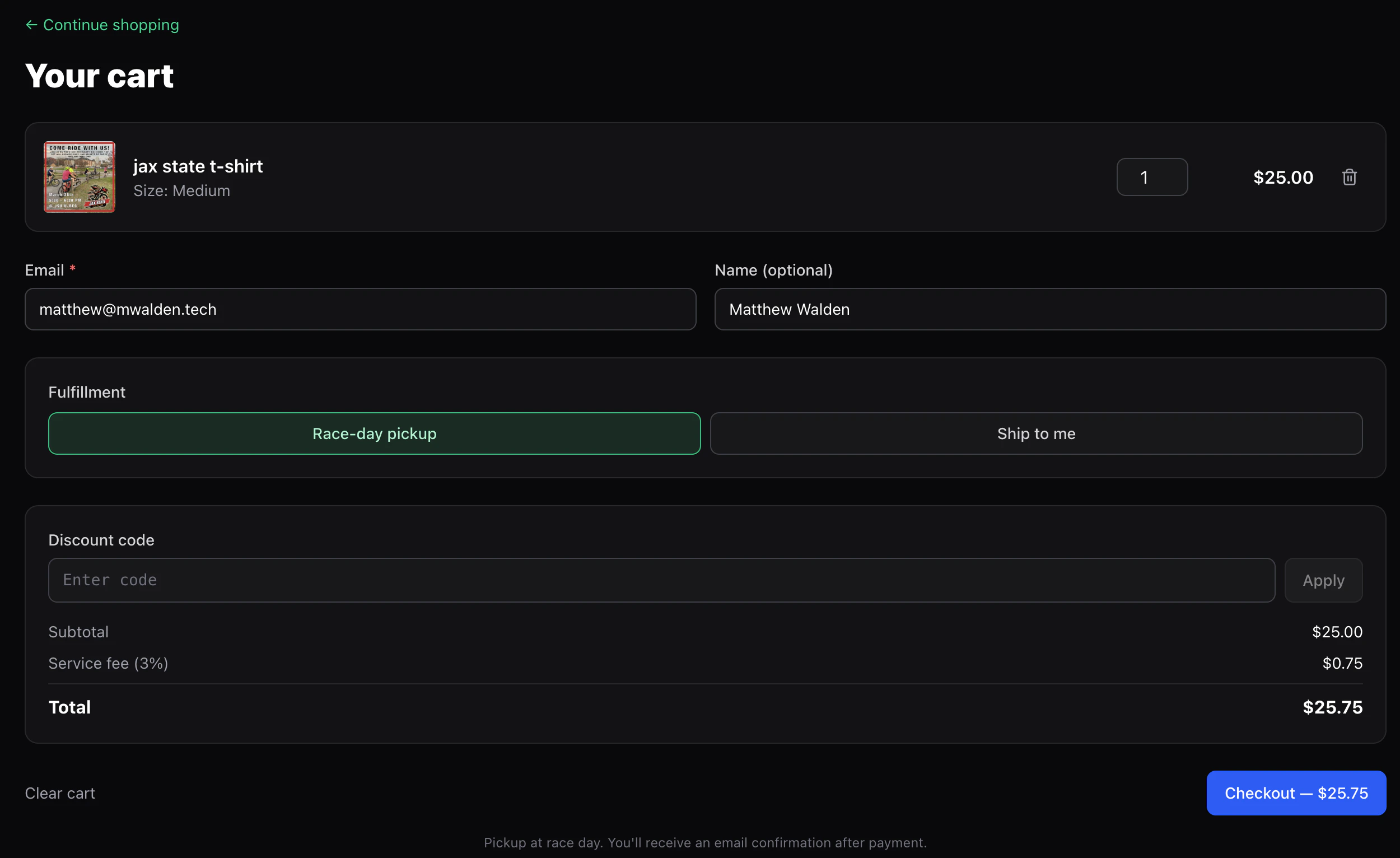
What you’ll enter
- Email — for the receipt and pickup info. Pre-filled if you’re signed in.
- Name — name on the order, for pickup.
- Fulfillment:
- Pickup — collect at the event the organizer designated.
- Ship — enter a shipping address. Only available when every item in your cart has shipping enabled by the organizer. Mixed carts (a shippable hat with a pickup-only race shirt) force pickup for the whole order.
- Shipping address — line 1, optional line 2, city, optional state/region, postal code, country. Required when you pick Ship.
- Discount code (optional) — if the organizer gave you one, type it in and click Apply. The cart re-validates the code whenever you change quantities so the discount stays accurate.
Totals
The cart shows:- Subtotal — sum of all line items.
- Discount (if a valid code is applied) — subtracted from the subtotal.
- Service fee — 3% of the net subtotal (post-discount).
- Total — what your card will be charged.
Checking out
1
Click Checkout
For paid orders you’re redirected to Stripe Checkout. The discount
appears as its own line on the Stripe page so you can see exactly
what’s coming off.
2
Pay
Stripe handles the card and any wallet payments the org has enabled.
3
Land on the finish page
/[orgSlug]/store/finish/[sessionId] confirms the order and clears
your cart.