
Documentation Index

Fetch the complete documentation index at: https://docs.time2.bike/llms.txt

Use this file to discover all available pages before exploring further.

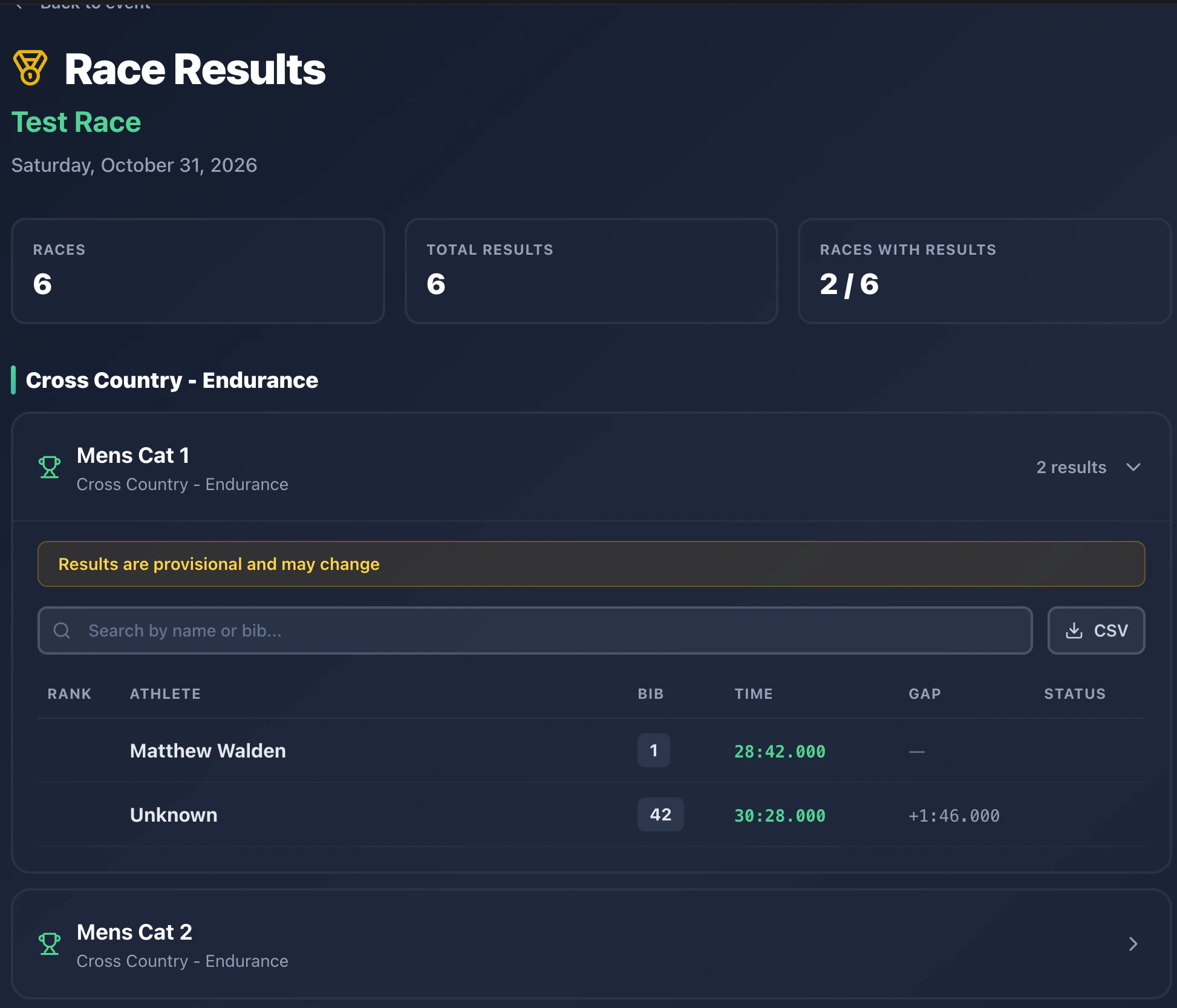
After the timing crew finalizes a race, official results post at time2.bike/events/[slug]/results. Final results
What’s different from live results

LiveFinal
URL/events/[slug]/live/events/[slug]/results
UpdatesEvery 30 secondsLocked after publishing
Statusprovisionalofficial
Podium badgesGold / silver / bronze on top 3
Gap to leaderYes (e.g. +0:42.123)
A race shows up here only after the organizer’s timing crew clicks Finalize and then Publish in the operator screen.

Reading the table

Each race shows:
  • Rank with a podium medal for 1st / 2nd / 3rd
  • Bib number
  • Athlete name
  • Finish time in h:mm:ss.ms format
  • Gap to the leader
  • Status badge: finished / dnf / dns / dq
  • Publication badge: provisional or official

Downloading results

Click the Download button on a race table to get a CSV of that race’s official results. For a full PDF of every published session in the event, organizers also publish a Combined PDF on the event page.

Brackets

For dual slalom and other bracket formats, the bracket diagram appears above the table, showing who beat whom round by round.

If results look wrong

Final results come from the event log the timing crew recorded — every button press, every CSV row from the RFID pad. If a result is wrong, contact the organizer; they can edit and re-publish.