

/events/[slug]/register?races=[race-ids].
There are up to five steps. Questions and Add-ons only appear when the
event actually has them, so a simple race is three steps: participants,
waivers, pay.
1
Participants
Tell Time2Bike who is racing. See Picking participants.
2
Waivers
Sign the waivers each participant needs to compete. See
Waivers.
3
Questions (only if the organizer asks any)
Answer any custom questions the organizer is collecting. See
Custom questions.
4
Add-ons (only if the event sells any)
Optionally throw merch (jerseys, parking passes, etc.) into the order.
5
Review & pay
Confirm everything, enter a discount code if you have one, and pay.
See Coupons & pricing and
Checkout & confirmation.
Picking participants
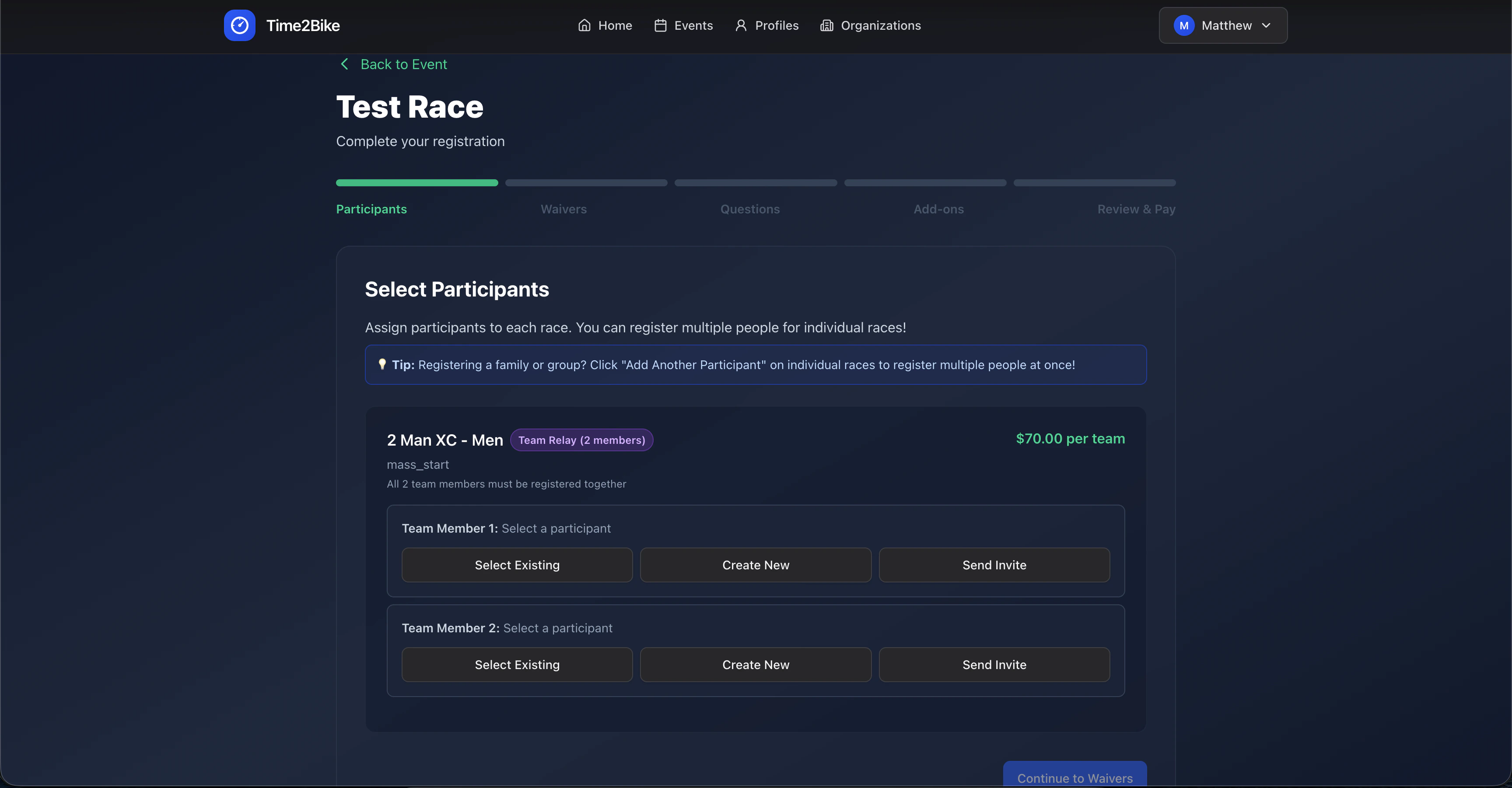
A participant is the person actually racing. You can have multiple participants on your account — yourself, a partner, kids — and pick which one is racing each race. For each race you registered for, you’ll see a row labeled Participant for <race name>. For each row, you can:- Select existing — pick someone you’ve already saved on your account.
- Add new — fill out the participant form (name, birthday, emergency contact, etc.) and save them to your account for future races.
- Invite — enter someone’s email or phone number. They’ll get a link to finish their own registration (sign waivers, answer questions) while you pay now. See Invite a rider.
- Edit — change details on an existing participant (only if you own or manage that profile).
Racing for a team, club, or sponsor
Under each rider you’ll see a line for the team they’re racing for. You choose this at registration, every time — it isn’t locked to anything. It can be whatever you want it to be:- A club or composite team you’re actually on in Time2Bike.
- A college or high-school team — “Western State Cycling”.
- A shop or sponsor — whoever pays your entries, or whoever’s kit you’re wearing.
- Nothing at all — leave it blank and you race as a personal entry.
Whatever you put here is shown next to your name in the start list and the
results. Nothing verifies it, so type it the way you want it to appear.
Team races
If a race is configured as a team event, Time2Bike asks for the full team. You’ll see one row per team slot and all slots have to be filled before you can continue. You can mix and match — some existing participants, some invites. This is a relay team for that one race — a different thing from the club name above. It exists only for this event.What can block you
Time2Bike refuses to add a participant to a race when:- They’re already registered for that race (paid or pending).
- The race has a gender restriction they don’t match (the race is
“women only” / “men only” — based on
genderon the participant’s profile). - They’ve already been picked for this race in another slot of this same registration.
Inviting a rider
Use Invite when you want to register a teammate, friend, or family member but you don’t have their info on file.1
Enter their email or phone
Either works. Time2Bike sends them a link to claim their spot.
2
Finish your registration & pay
You pay for their entry as part of your checkout. Their spot is
held as invited.
3
They click the link
The link opens
/events/[slug]/complete-registration?registrationId=[id] where they
sign in (or create an account), pick or create their own participant
profile, sign waivers, and answer questions. No payment — already
paid by you.4
They're confirmed
Once they finish, they show up on the start list with full details.
Next
Custom questions
Some races ask follow-up questions like t-shirt size or category preference.