

time2.bike/[orgSlug]/store. Typical inventory: jerseys, T-shirts, hats,
water bottles, stickers, and pre-orderable event swag.
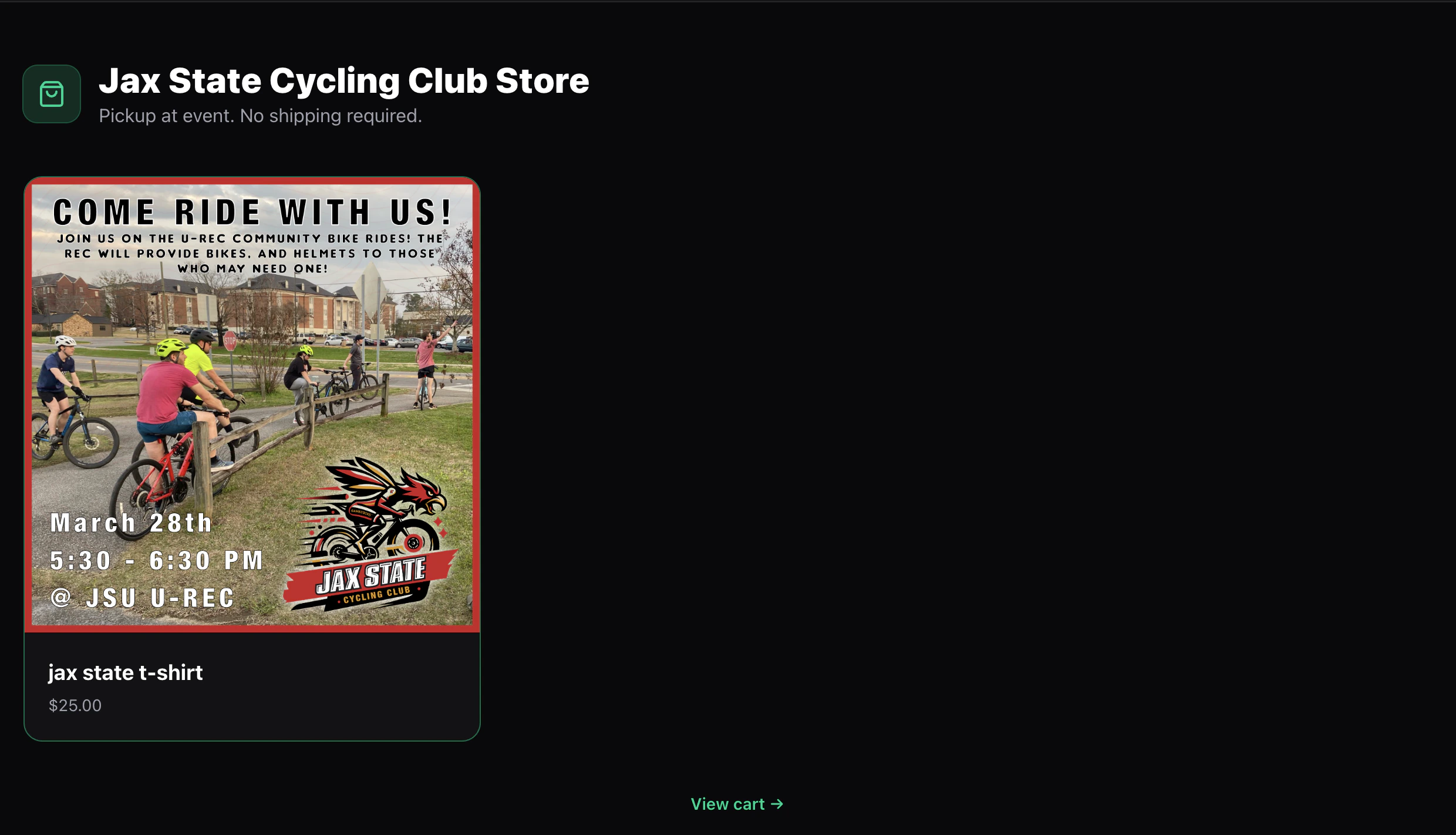
Store page
The landing page shows every active, publicly-visible product as a card:- Product photo
- Name and short description
- Price (the lowest variant price for products with multiple sizes, or a single price if all variants are the same)
Product page
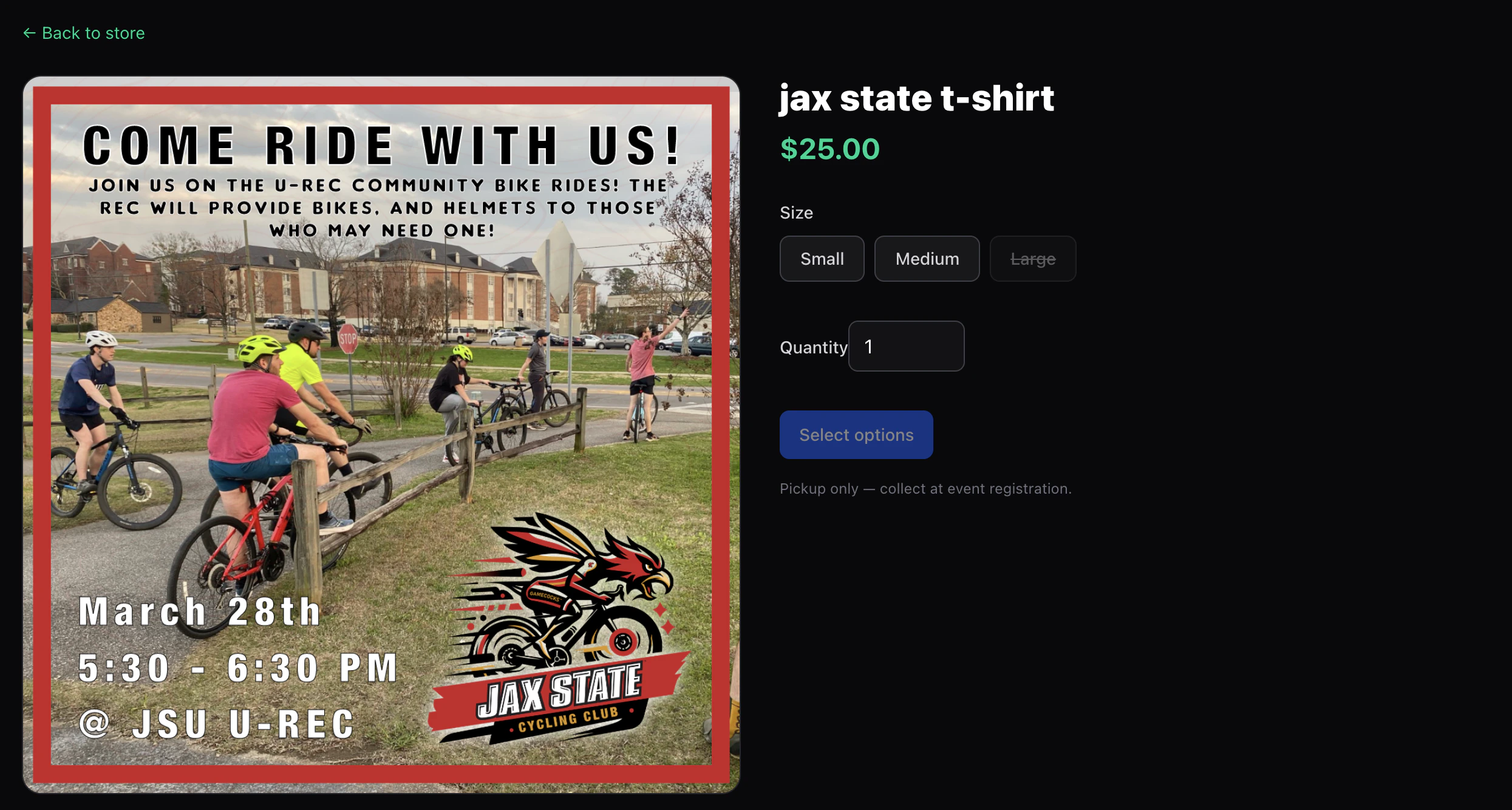
time2.bike/[orgSlug]/store/[productSlug] has:
- A photo gallery
- The full description (markdown)
- A variant picker (e.g. Size, Color) if the product has options
- A Quantity picker
- Add to cart
- A note about how the product is fulfilled — either pickup at the event or ships to your address
Cart
The cart lives attime2.bike/[orgSlug]/store/cart and is stored
locally in your browser until checkout. That means:
- Adding to cart works without an account.
- Carts don’t sync across devices.
- Clearing site data clears the cart.
Next
Checking out
Pay for your merch order and what happens after.